Professional Dual-Pane File Manager
Master Your Files
Across All Devices
Dual-pane browsing on Mac and iPad, remote connections to SFTP, S3, and Azure, cloud storage sync, and an SSH terminal on every device - one native app across macOS, iPadOS, and iOS.
One price. Mac, iPad and iPhone. No subscription.
Try all features free for 7 days. No credit card required. $49.99 USD one-time on the macOS download. · 1.6k+ downloads
On the App Store, prices are localized by Apple - tap the App Store badge to see your local price.
Take It Everywhere - iPad & iPhone
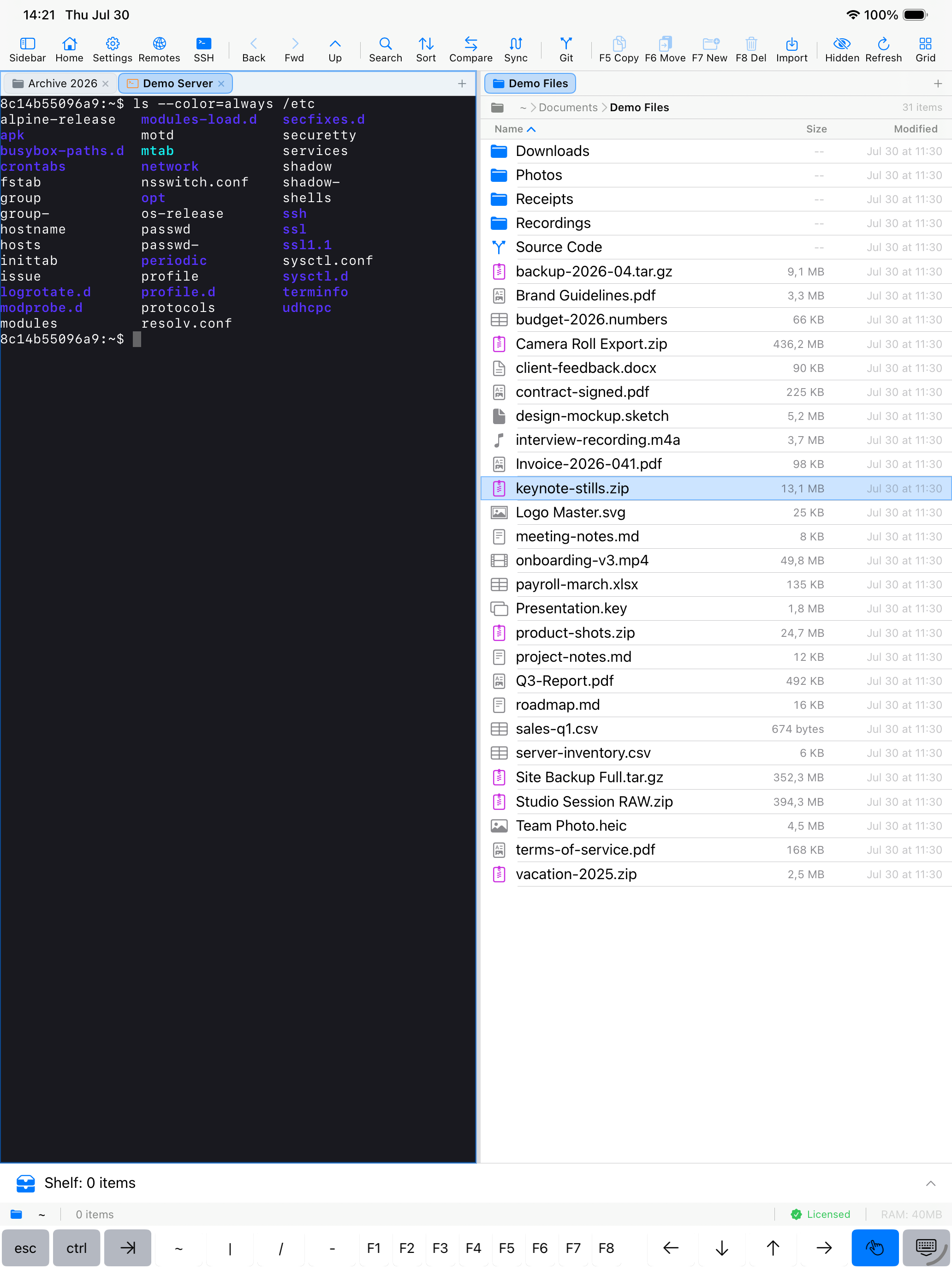
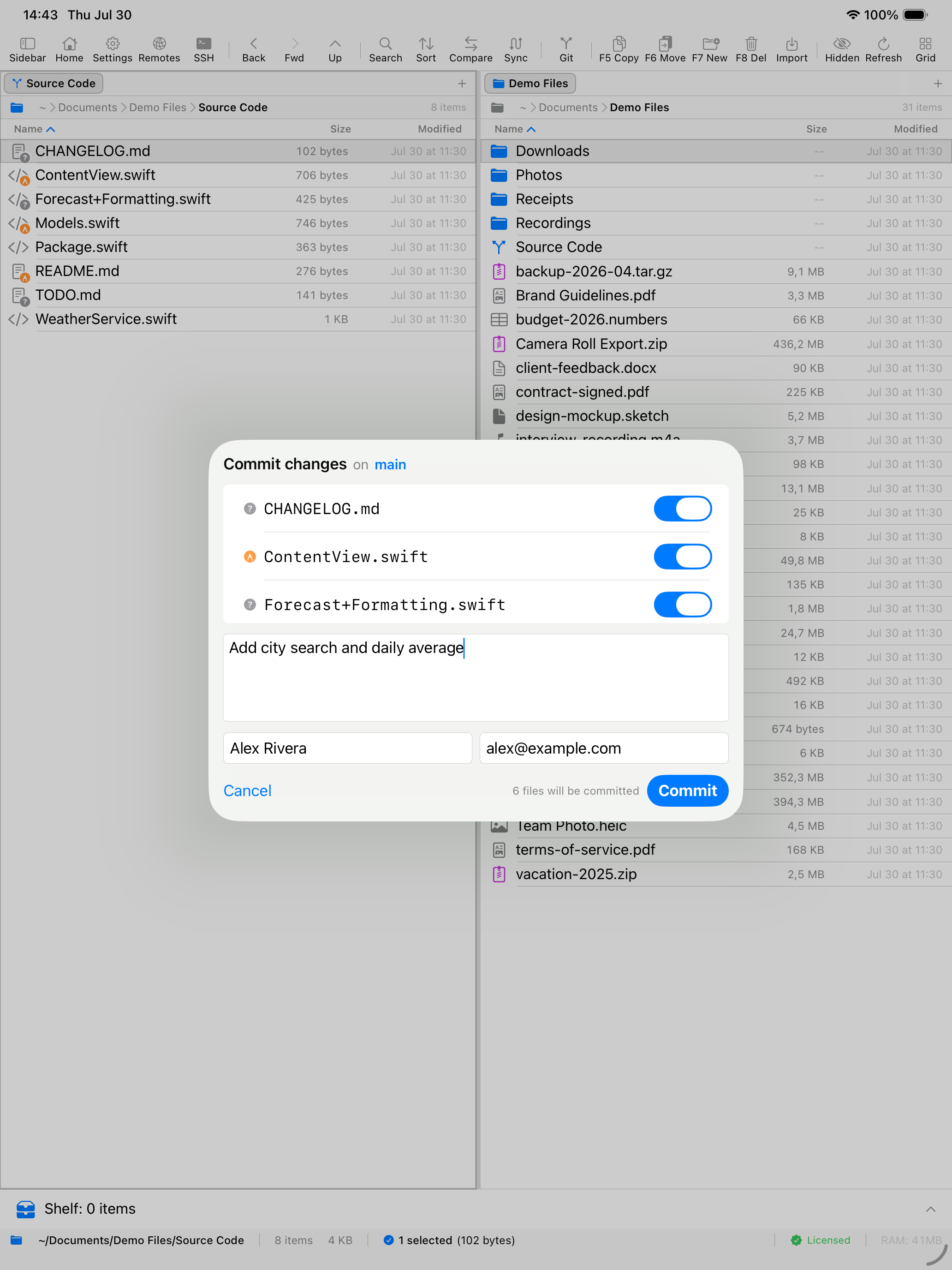
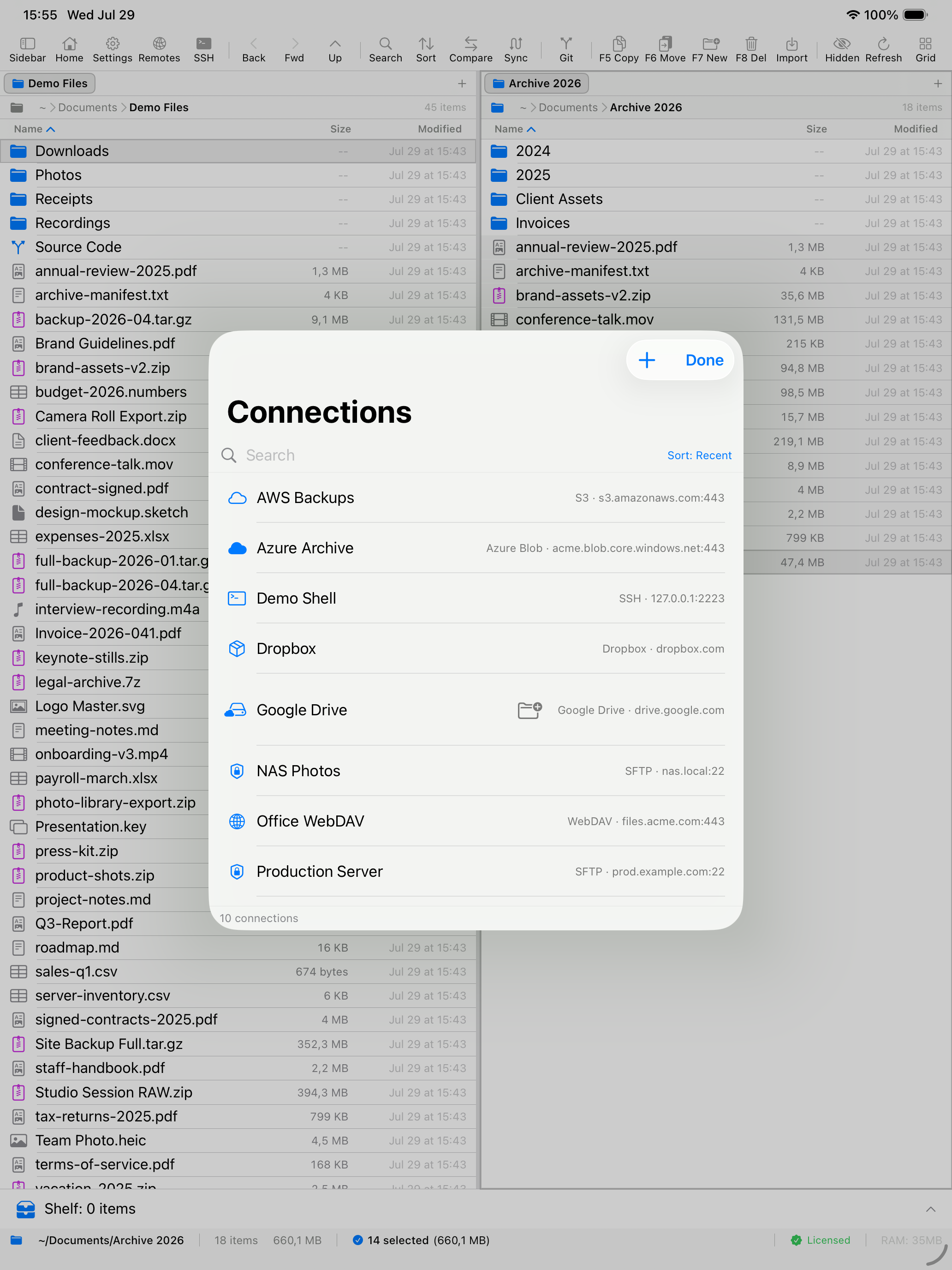
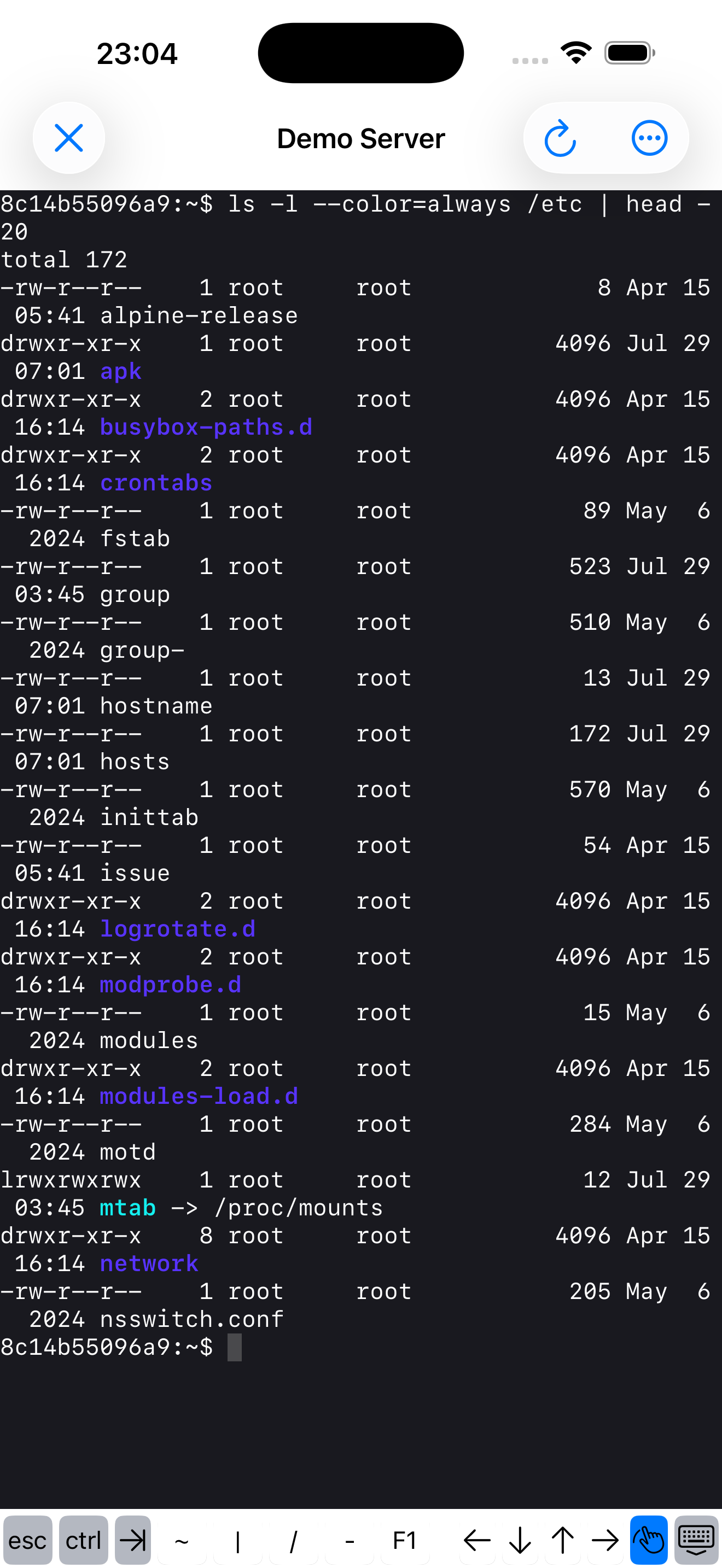
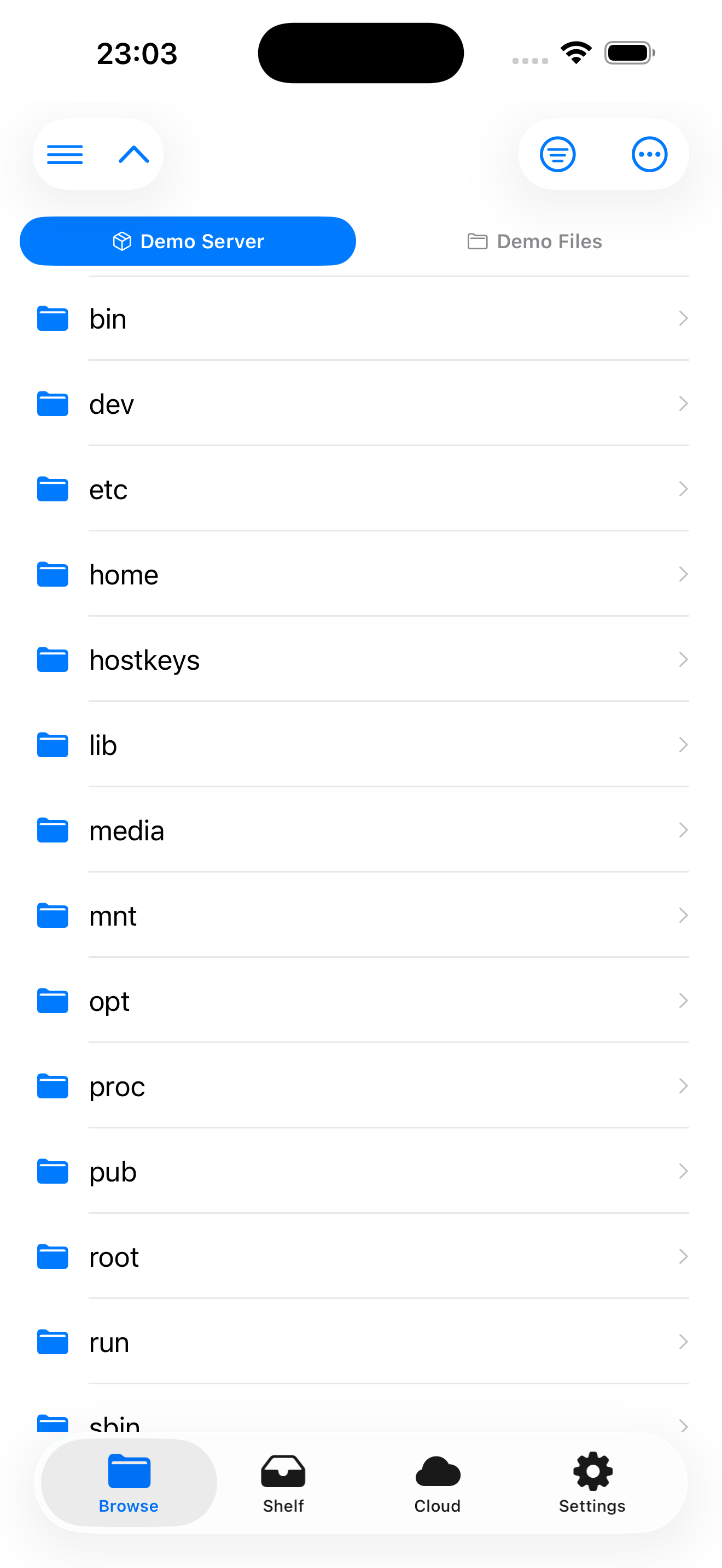
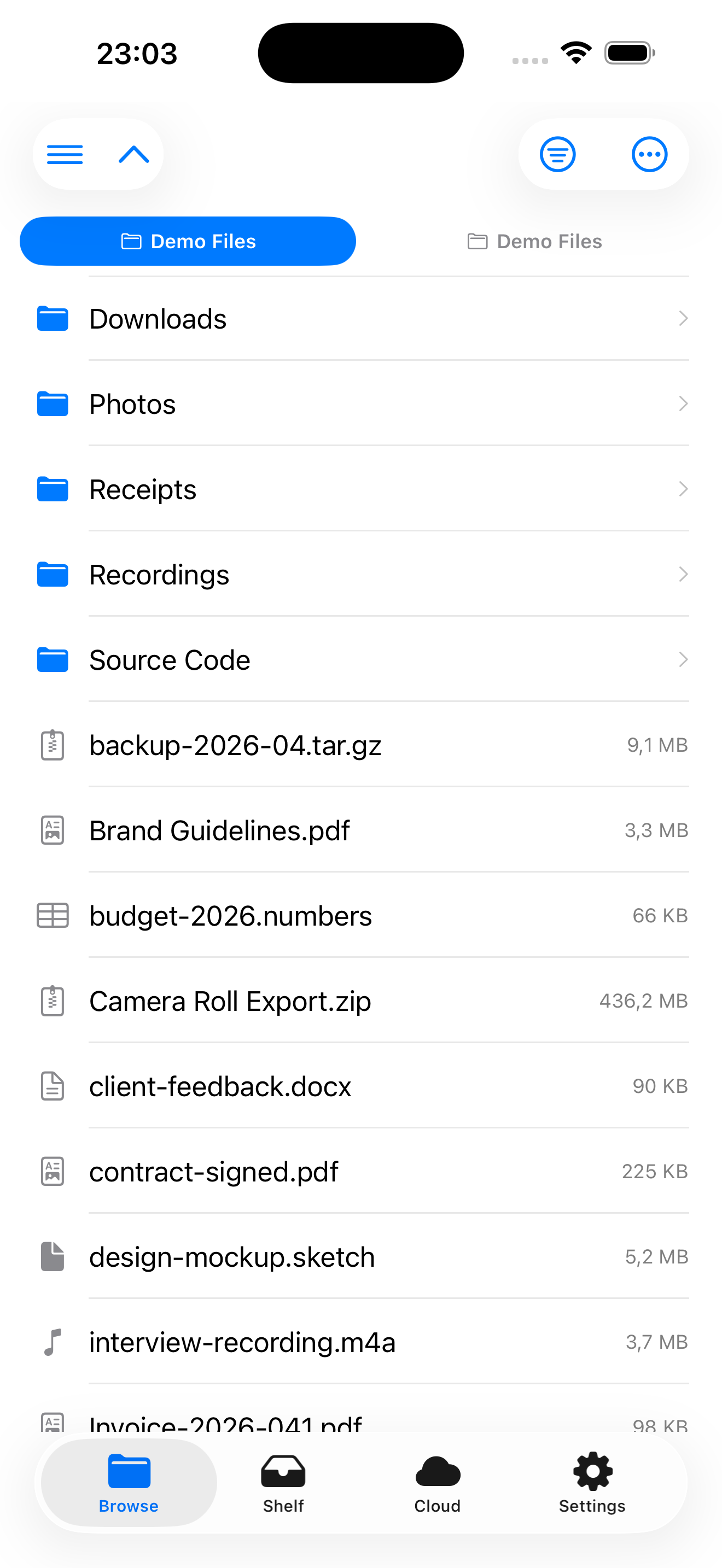
The same dual-pane experience, designed for touch. Switch seamlessly between Mac, iPad, and iPhone - your workspaces and shelf sync via iCloud.
On iPad
On iPhone
Watch the Full Demo
Cross-Platform
Native on macOS, iPad, and iPhone
Remote Access
SFTP, FTP, S3, and Azure connections
Powerful Tools
Terminal, regex rename, and archives
Native Performance
Built with SwiftUI for speed and efficiency
Describe It, Done
Rename & summarize by asking - nothing leaves your Mac
Everything You Need
Professional file management with local and remote capabilities
Dual-Pane Browsing
Side-by-side file browsing with tabs, drag-and-drop transfers, and keyboard-driven navigation. Copy, move, and compare files across panes effortlessly.
- Tabbed browsing in each pane
- Drag-and-drop between panes
- Keyboard shortcuts for power users
Remote Connections
Connect to SFTP, FTP, WebDAV, Amazon S3, Azure Blob, Google Drive, Dropbox, and iCloud Drive - plus SMB network shares on Mac, iPad, and iPhone. Drag files from one cloud to another - migrate a bucket from S3 to R2, or Google Drive to B2 - or run it through Folder Sync, which hashes every file on both sides after it copies.
- SFTP, FTP & WebDAV (Keychain-stored credentials)
- S3-compatible: R2, B2, Wasabi, Storj, MinIO
- Cloud-to-cloud transfers · saved profiles · SMB on all devices
Photos Library as a Source
Your photo library browses like a folder tree beside your connections - All Photos, Recents, Favourites, Screenshots, Videos, Albums and Years - and anything in it copies to any destination the app reaches: a server, a NAS, a bucket, or a folder on the device. Nothing is re-encoded, so what lands is the original file byte for byte, with its dates and location still attached. The Files app cannot browse the photo library at all.
- Read-only - nothing is ever written back into your library
- You choose the folder layout and file naming before the copy starts
- New in 2.7 on iPhone and iPad, and on the Mac in 2.7.1
Cloud Transfers Run in the Background
Start a large upload or download to S3, WebDAV or Dropbox - or a download from Google Drive - and it keeps going when the app is closed or the screen is locked. The system carries it to the end. On by default since 2.4, with a toggle in Settings.
- Uploads: S3, WebDAV, Dropbox (background lane up to 150 MB)
- Downloads: S3, WebDAV, Dropbox, Google Drive
- SFTP, FTP and SMB: on iOS and iPadOS 26+ these continue too as of 2.9.0; on earlier versions they pause until you reopen the app
Integrated Terminal
Drop into a full terminal emulator without leaving the file manager. The terminal directory syncs automatically with the active pane.
- Full terminal emulation
- Pane-to-terminal directory sync
- Multiple terminal sessions
Batch Rename
Rename hundreds of files at once with first-class operations - add prefix or suffix, remove text, digits or symbols, change case, number, or change extension - plus regex as a manual escape hatch. No operation can drop an extension by accident.
- Operations: prefix, suffix, case, number, extension
- Regex as a manual escape hatch
- Live preview before applying
Universal Shelf
Stage files from any location into a temporary shelf for later use. Works across devices with iCloud sync for a seamless cross-device workflow.
- Cross-device iCloud sync
- Stage files from any source
- Quick access sidebar
Workspaces & Archives
Save and restore workspace layouts for different projects. Browse ZIP, 7z, RAR, and tar archives as if they were folders - including ZipCrypto password-protected ZIPs - and batch-extract several at once.
- Save/restore workspace layouts
- Open password-protected ZIPs (ZipCrypto, not AES)
- Batch-extract each archive to its own folder
Git on Mac, iPad & iPhone
The same Git menu on Mac, iPad and iPhone: status, stage, commit, discard, stash, switch and create branch, merge, pull/push/fetch, and a Log with a branch/merge topology graph. Clone a private repo over HTTPS or SSH, edit files in the built-in editor, commit and push - a full Git workflow on the tablet with no Mac required. Merge conflicts are resolved in the app, per file: pick a side, or abort.
- iPad: clone, edit, commit, push over HTTPS
- Branch/merge topology graph and stash on both
- Access token stored in the Keychain
Container Browsing (macOS)
Browse Docker, Lima, and Colima container filesystems read-only. EmpiricCommander auto-discovers the sockets and lists every running container in a toolbar menu.
- Auto-discovers Docker/Colima/Lima sockets
- Per-container tab
- Read-only navigation in v1
Rich Preview
More than Quick Look: source code with syntax highlighting, JSON as a collapsible tree, CSV as a table, Markdown and HTML rendered (scripts off, no network), PDFs, and dotfiles or extensionless dev files - .gitignore, .env.local, Dockerfile, Makefile, LICENSE - shown as text instead of a blank preview.
- Syntax-highlighted code, JSON tree, CSV table
- Markdown & sandboxed HTML rendering
- Dotfiles & extensionless config as text
Auto-Organize, Sync & Compare
Sort a folder into subfolders by type, date, size, name pattern, or extension - rule-based, with a preview before anything moves and full undo. Plus folder sync (Mirror, Two-Way, Backup, Fill Gaps) with a SHA-256 check after every copy, on by default, and side-by-side folder compare with file diff.
- Auto-Organize by type, date, size, name or extension
- Folder sync: Mirror, Two-Way, Backup, Fill Gaps
- Preview and undo before any change
Locked Shelf (encrypted)
An AES-GCM encrypted vault inside the Shelf for credentials, recovery codes, and anything else you don't want sitting in plaintext. Key derived from your passphrase via PBKDF2.
- AES-GCM at rest
- PBKDF2 passphrase derivation
- macOS, iPad, and iPhone
Describe the Task, Skip the Clicking
Rename 500 files by describing the pattern. Summarize a PDF without opening it. Find "files over 100 MB not touched in a year" by just asking. Runs on-device with Apple Intelligence - free, no accounts, and nothing ever leaves your Mac.
- Rename hundreds of files by describing the pattern
- Summarize and explain files & PDFs without opening them
- On-device and private - nothing leaves your Mac
Describe the task. It's done.
Rename a folder full of files by describing the pattern, or get a summary of a script before you run it. Everything runs on your device - no API keys, no accounts, no cost, and your filenames and file contents never leave your Mac, iPad, or iPhone.
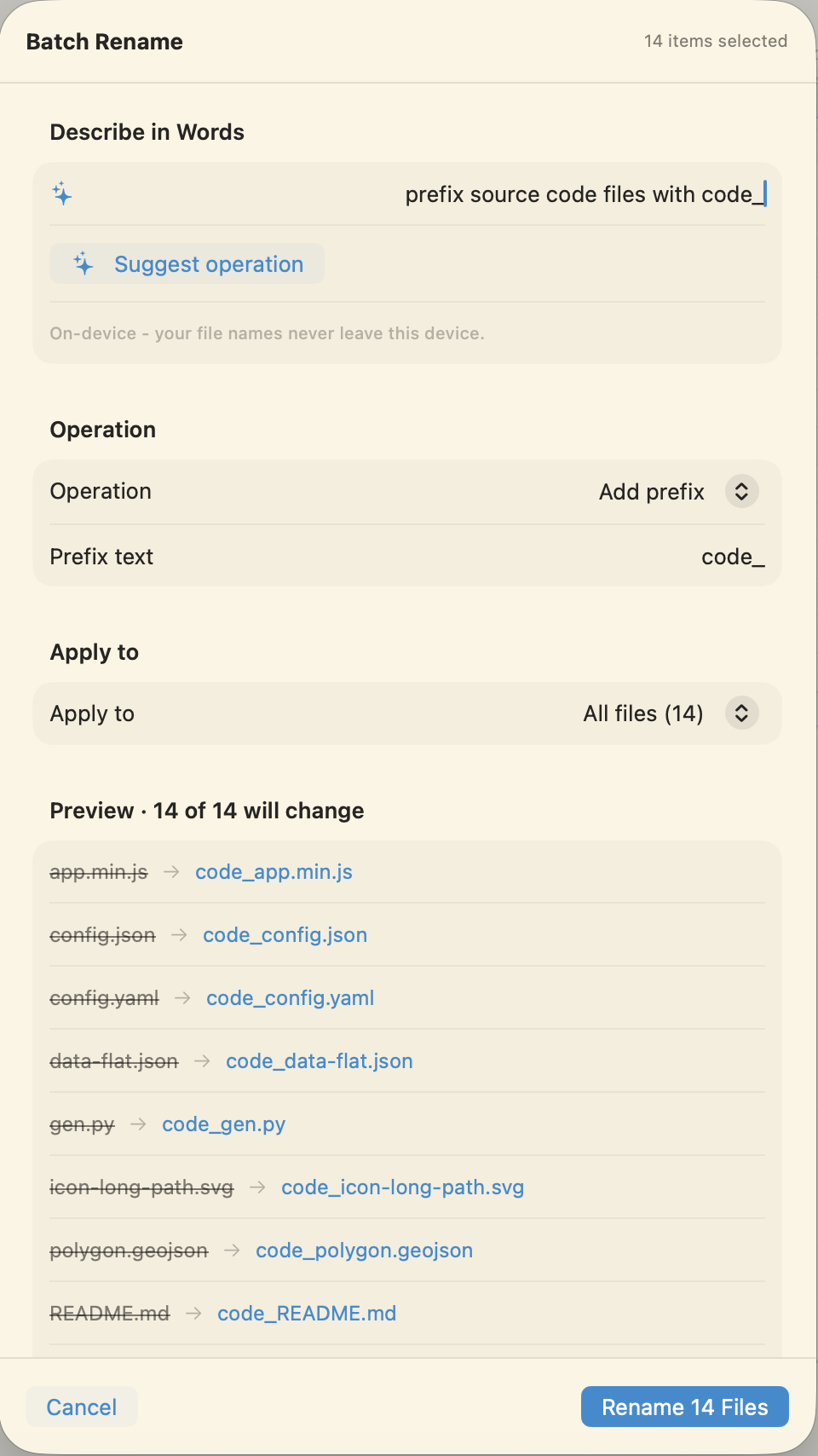
Batch rename, described in plain words
Type what you want - “prefix source files with code_” - and the model picks the right rename operation and fills in the arguments. It never writes raw patterns, so it can't produce a destructive rule; the live preview, conflict detection, and 10-second undo are the final net.
- Maps your words to a safe, bounded operation
- Every change shown in the live preview first
- Manual controls always available underneath
Summarize and explain files in preview
Select a text, code, Markdown, or log file and the preview pane can summarize it - or explain what a script does - in an inline panel above the content. Read-only: the file is never touched, and any truncation of very large files is always disclosed.
- Summarize prose, explain code and scripts
- Read-only - never modifies the file
- Runs entirely on-device, no network
Requires macOS 26 / iOS 26 with Apple Intelligence on Apple Silicon. On earlier systems EmpiricCommander works exactly as before - the AI actions are simply hidden, and every feature has a manual equivalent.
Simple, Transparent Pricing
One price. Mac, iPad and iPhone. No subscription. Try all features free for 7 days - no credit card required.
EmpiricCommander
7-day free trialOne-time purchase, yours forever
$49.99 one-time
No subscription. No recurring fees.
All features unlocked during trial. No credit card required.
Backed by a 14-day money-back guarantee.
What you get
- Dual-pane file browsing with tabs
- Copy, move, delete & file operations
- Quick Look file preview
- Filtering & search
- Regex batch rename
- Integrated terminal
- SFTP & FTP connections
- S3 & Azure Blob Storage
- ZIP archive browsing
- Remote file transfers
- Universal Shelf with iCloud sync (5GB)
- Unlimited workspaces
Licensing & updates
- Up to 3 devices per license: 1 Mac + 1 iPad + 1 iPhone
- Every update inside the major version you bought is included
- Buy within 90 days of a new major and that major is included too
Compare & Explore
See how EmpiricCommander stacks up, or read how it fits your workflow.