EmpiricCommander
Best SFTP Clients for Mac (2026)
Whether you are pushing files to a server over SFTP, syncing an S3 bucket, or wrangling a mix of remotes, the Mac has good options - a polished paid specialist, a couple of solid free ones, and dual-pane file managers that fold remote access into a full file browser. Here is an honest comparison.
Updated October 2026.
At a glance
| Tool | Protocols | Platforms | Price | Best for |
|---|---|---|---|---|
| EmpiricCommander | SFTP, FTP, S3, SMB, WebDAV, Azure, Google Drive, Dropbox | macOS, iPad, iPhone | $49.99 one-time | A file manager with remote built in, on Mac, iPad and iPhone |
| Transmit | SFTP, FTP, S3, and more | macOS | Paid | The premium, dedicated Mac transfer app |
| Cyberduck | SFTP, FTP, S3, cloud | macOS, Windows | Free / donationware | A free option with broad cloud support |
| ForkLift | SFTP, FTP, S3, WebDAV | macOS | Paid | A dual-pane Mac manager with strong remote |
| FileZilla | SFTP, FTP | macOS, Windows, Linux | Free, open source | Free and everywhere |
Pricing models change - check each tool's site for current details.
The options, one by one
EmpiricCommander
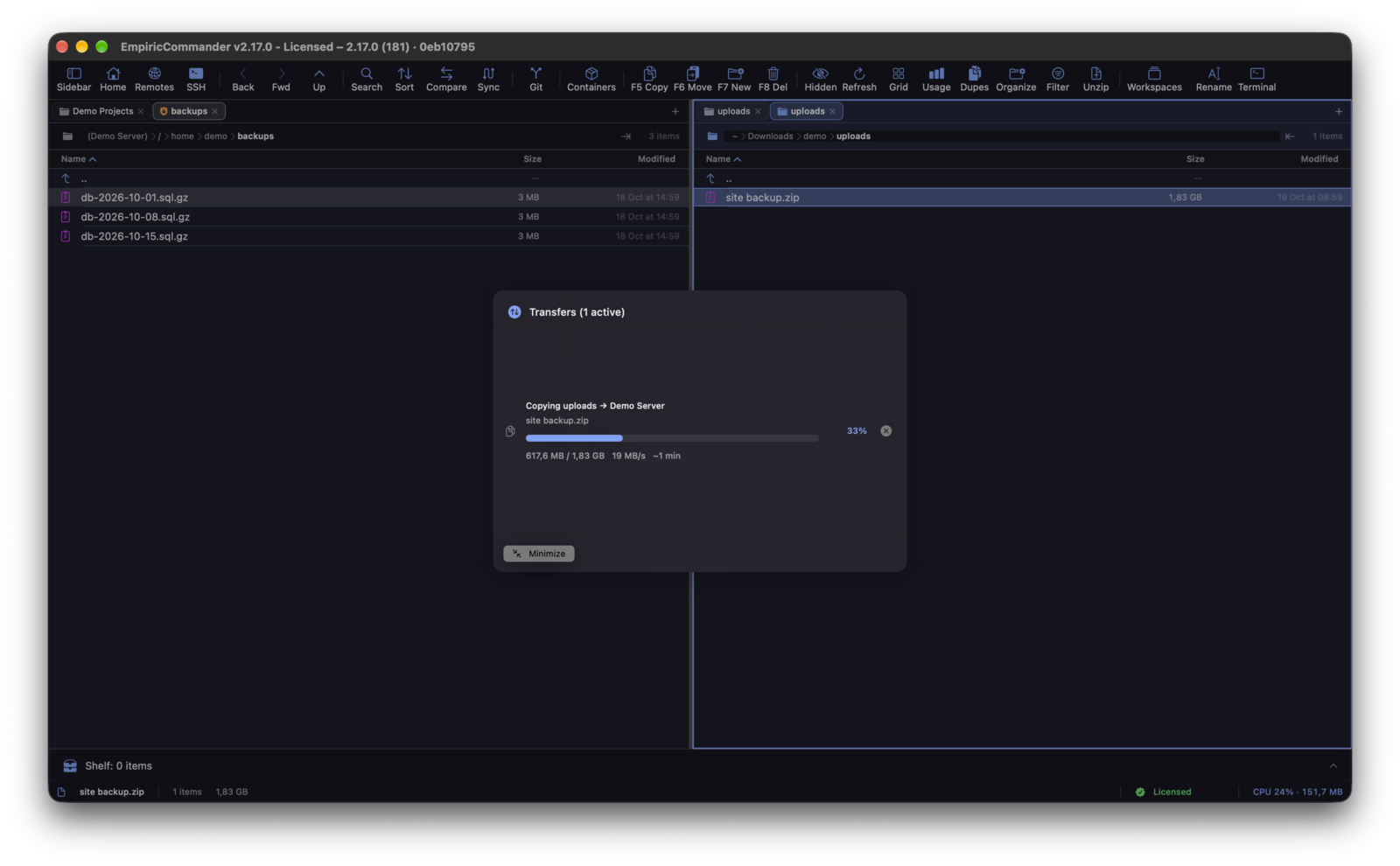
Learn more →Not a dedicated transfer app but a dual-pane file manager where either pane can be a remote location, so you drag between local and remote like any copy. Connects to SFTP, FTP, Amazon S3 (with presets for Backblaze B2, Cloudflare R2, Wasabi and Storj), SMB 3 shares, WebDAV, Azure Blob, Google Drive and Dropbox. SFTP authenticates with a password or an Ed25519, RSA or ECDSA key, verifies the host key, and an SSH terminal opens on the server in the other pane. Folder Sync can mirror a local folder to a server and verify every copied file by checksum, remote to remote included. Native on Mac and iPad, plus an iPhone app, on one license at a one-time price. Best if you want a full file manager plus remote, and care about iPad or iPhone.
Transmit
Full comparison →Panic's Transmit is the gold-standard dedicated Mac transfer app - polished, fast, with broad protocol and cloud support and a strong sync feature. Mac-only and focused purely on transfer rather than being a full file manager. If transfer is your main job, it is hard to beat.
Cyberduck
Full comparison →A long-standing, free (donationware) client with wide protocol and cloud-storage support, on Mac and Windows. The interface is more utilitarian than Transmit or EmpiricCommander, but it is free and very capable.
ForkLift
Full comparison →A mature Mac dual-pane file manager with deep remote support and sync - similar in spirit to EmpiricCommander but Mac-only. A great option if you want manager-plus-remote and do not need iPad/iPhone.
FileZilla
Website →The ubiquitous free, open-source FTP/SFTP client, on every platform. Functional and familiar, if dated-looking and lighter on cloud storage. A safe free default for straightforward FTP/SFTP transfers.
Related: EmpiricCommander as an SFTP & S3 client and the best dual-pane file managers for Mac. Storage guides: Backblaze B2, Cloudflare R2, Wasabi, a NAS from your iPad.
FAQ
What is the best SFTP client for Mac?
For a dedicated transfer app, Transmit is the polished premium choice. For a free option, Cyberduck or FileZilla. If you want a full dual-pane file manager with remote built in (and that also runs on iPad and iPhone), EmpiricCommander.
Is there a free SFTP client for Mac?
Yes - Cyberduck (donationware) and FileZilla (open source) are both free. EmpiricCommander and Transmit are paid; EmpiricCommander is a one-time purchase rather than a subscription.
Can these connect to Amazon S3 and Azure?
EmpiricCommander connects to SFTP, FTP, Amazon S3 and S3-compatible storage (Backblaze B2, Cloudflare R2, Wasabi, Storj, MinIO), Azure Blob Storage, WebDAV, SMB, Google Drive and Dropbox. Cyberduck and Transmit also support S3 and various cloud providers; FileZilla focuses on FTP and SFTP.
Is there an SFTP client that works on iPad?
EmpiricCommander is native on iPad and iPhone as well as Mac, with one license covering all three. SFTP, key authentication and the SSH terminal work on all three. Transmit, ForkLift, Cyberduck and FileZilla are desktop-only.
Which Mac SFTP clients support SSH key authentication?
All five clients here support key-based SFTP login. In EmpiricCommander, Ed25519, RSA (signed with rsa-sha2-512/256, which modern OpenSSH servers require) and ECDSA keys work, with passphrases, and keys live in the Keychain rather than in the connection record.
Can I sync a local folder to a server and verify the copy?
EmpiricCommander's Folder Sync has Mirror, Two-Way, Backup and Fill Gaps modes, shows what it will do before it runs, and by default hashes each file on both sides after copying, including on remote backends. Transmit and ForkLift also have sync features; check their sites for verification options.