Own your knowledge
Metis turns a folder of Markdown notes into a connected, AI-native source of truth - a native macOS app with a live-preview editor, a bidirectional link graph, private on-device AI, and git history. No cloud lock-in. $19.99 one-time, 7-day free trial.
$19.99 one-time · 7-day free trial · macOS 15+ · Mac, iPad & iPhone
Local-first
Your notes are plain .md files on your disk - the source of truth. No lock-in, ever.
Native
Real SwiftUI app, not Electron. Instant start and light at thousands of notes.
Private AI
On-device Apple Intelligence, on Mac and iOS. Confidential notes never leave your device.
Open format
Markdown + YAML front matter. Portable, diff-able, scriptable, future-proof.
Git history
Snapshots, diffs, and one-click restore, built in. Real provenance.
A knowledge base, not just a notes app
Everything that makes a pile of notes into a connected, manageable second brain.
Editor: Live, Wysiwyg & Reading
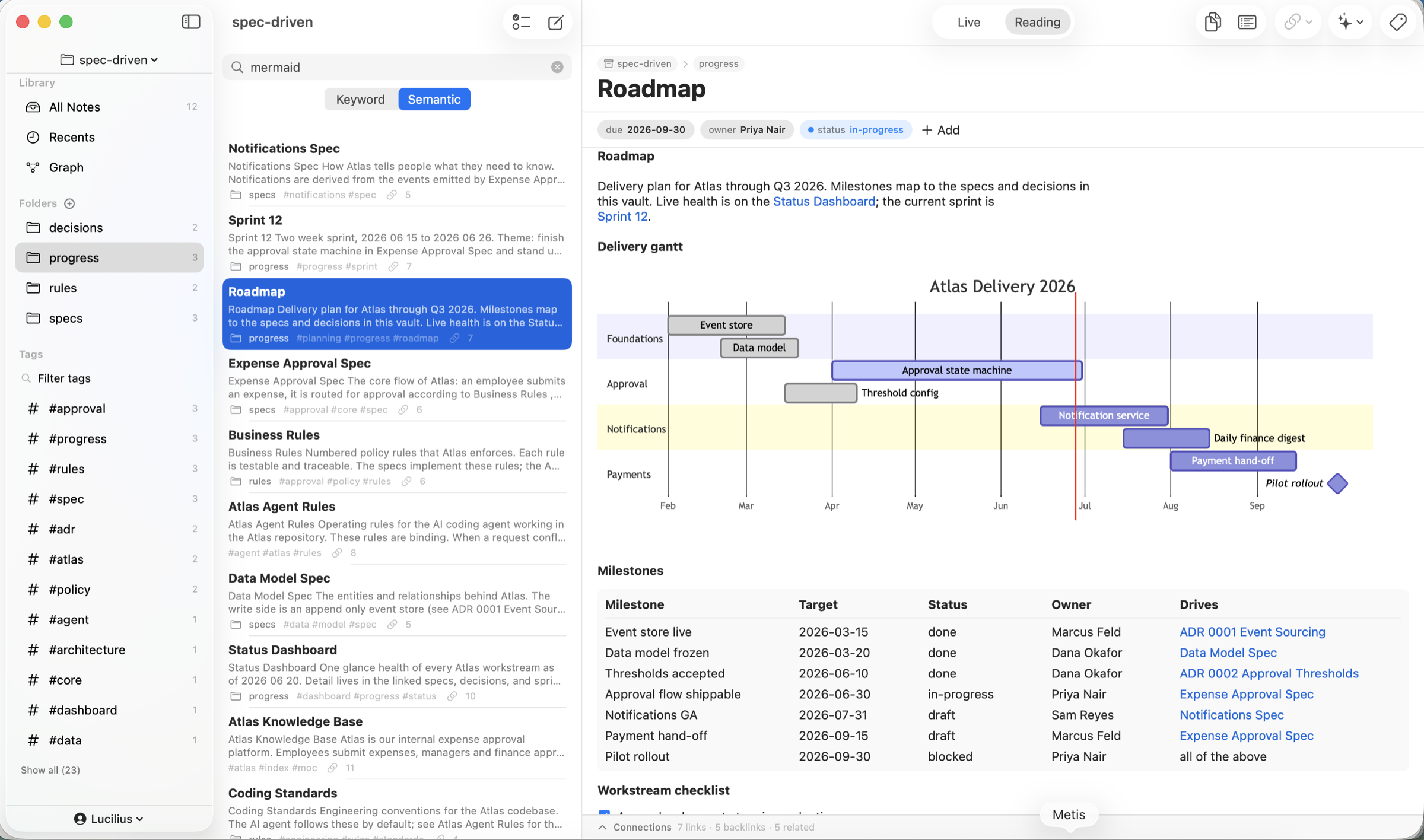
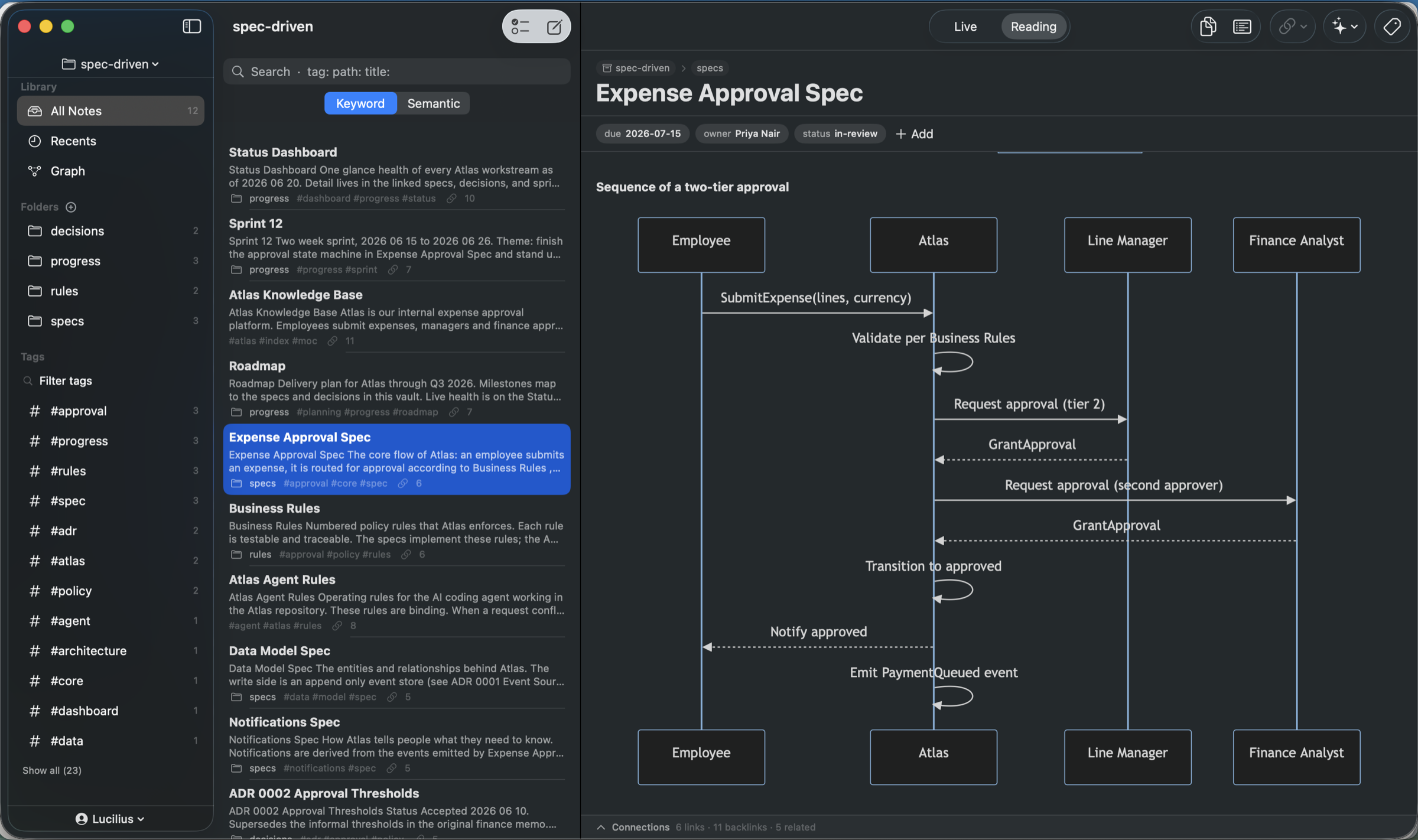
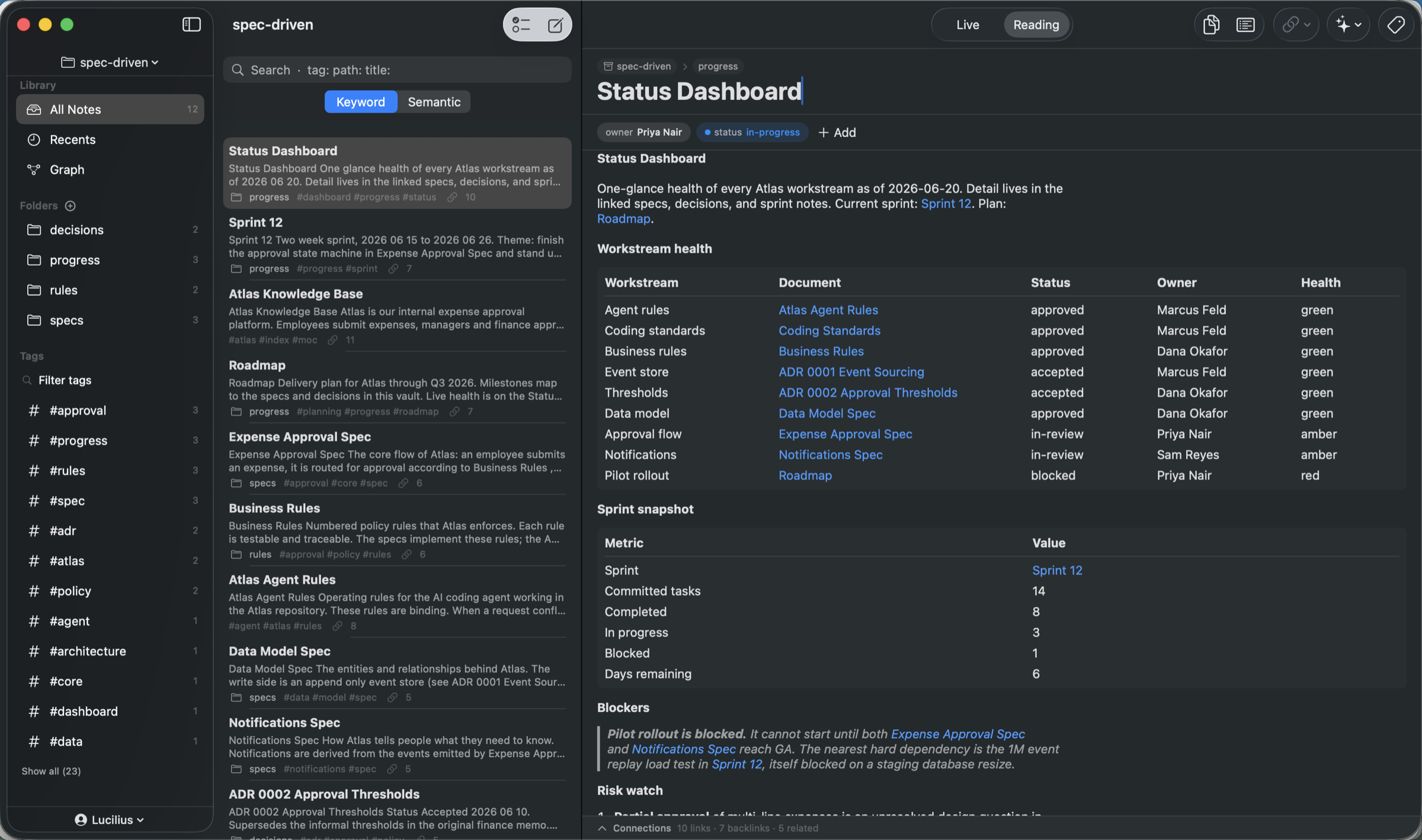
Three modes. Live shows markers on inactive lines; Wysiwyg hides Markdown on every line with a floating format bar; Reading renders images, GFM tables, code, and LaTeX math - and on the Mac a table is editable as a table, with Tab between cells and a Format → Table menu for rows, columns and alignment. On Mac, and iPad in regular width, tabs keep several notes open at once - each remembering its own mode and, on the Mac, its scroll position.
Locked, private notes
Lock any note with a password and Touch ID. Locked notes are encrypted on disk and in iCloud, and stay out of search, Spotlight, and the graph until you unlock them.
Links, backlinks & graph
[[wiki links]] with automatic backlinks, aliases, and unlinked mentions. Link to a section with [[Note#Heading]] or to a single block with [[Note#^id]] - right-click on the Mac, long-press on iPhone and iPad, hover a link to preview the target, and see the whole web in a graph sized by connections - exportable as a PNG or vector PDF.
Inspector: outline & local graph
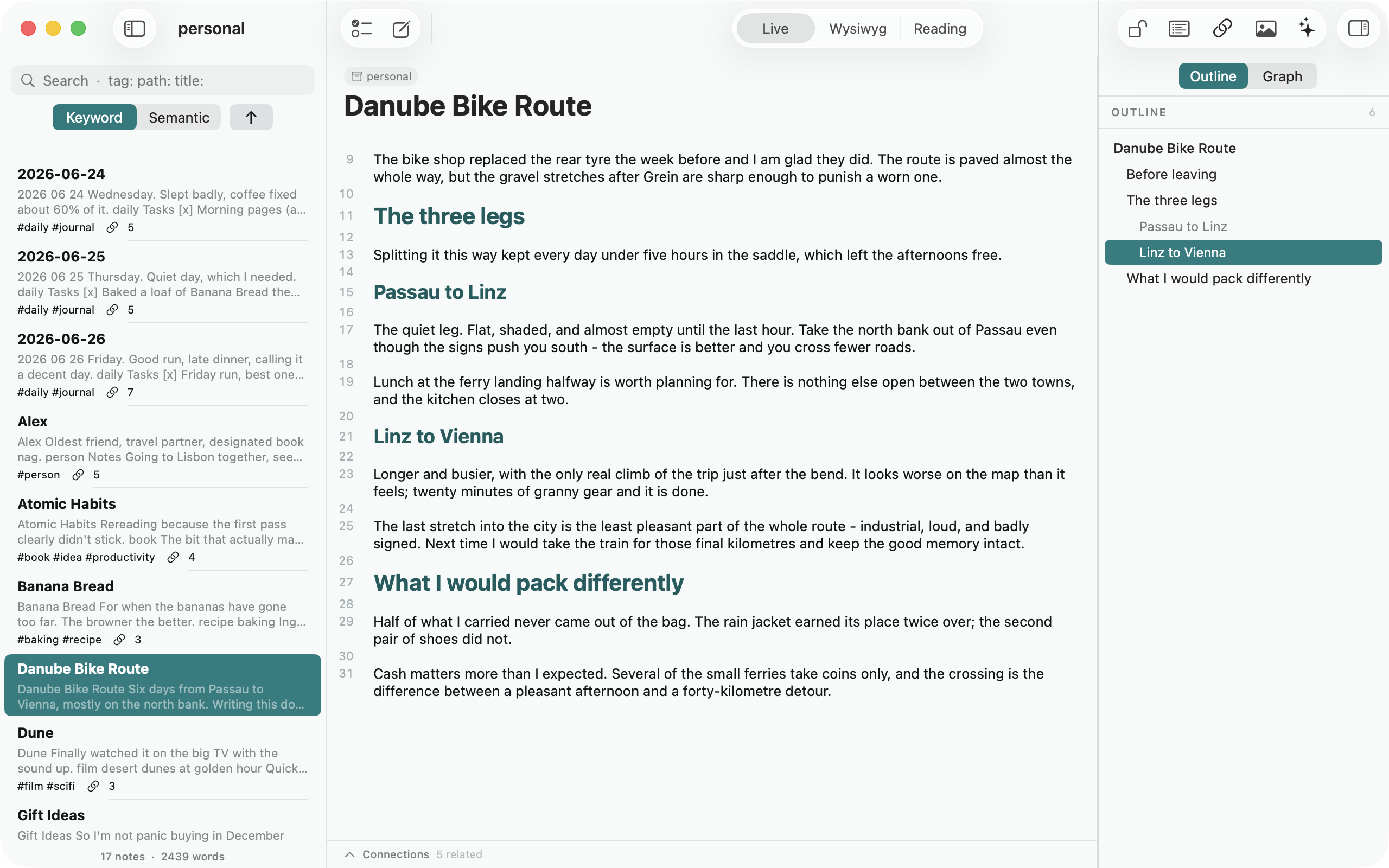
A column beside the note. Outline lists every heading, indents by level, and jumps you there in one click - following the caret as you write; the Graph tab shows what the open note connects to, one or two hops out.
Typed properties
Add status, owner, due, priority, or custom keys as color-coded chips - stored as standard YAML front matter.
Keyword + semantic search
Operators (tag:, path:, title:) plus on-device semantic search that finds notes by meaning, not just words. On the Mac, Cmd-F finds in the open note, with undoable find & replace.
Tasks & agenda
Markdown checklist tasks and notes carrying a due date roll up into one agenda (Overdue / Today / Upcoming / Someday), with Open and Completed as two halves of one control. Right-click a note to send its open tasks to Apple Reminders, dates and times intact.
Git version history
Make a vault a git repo for snapshots, per-note history, side-by-side diffs, restore, and auto-snapshot.
Open & portable
Import files or whole folders; export a note or the whole vault as Markdown or HTML - publish your vault as a static site. On the Mac, print a note or export it as PDF or Rich Text. No lock-in.
iCloud sync
Optional files-first iCloud sync across your Macs, iPhones, and iPads, with conflict detection and a resolution UI on every platform. Or keep a vault entirely on one device - no iCloud account needed.
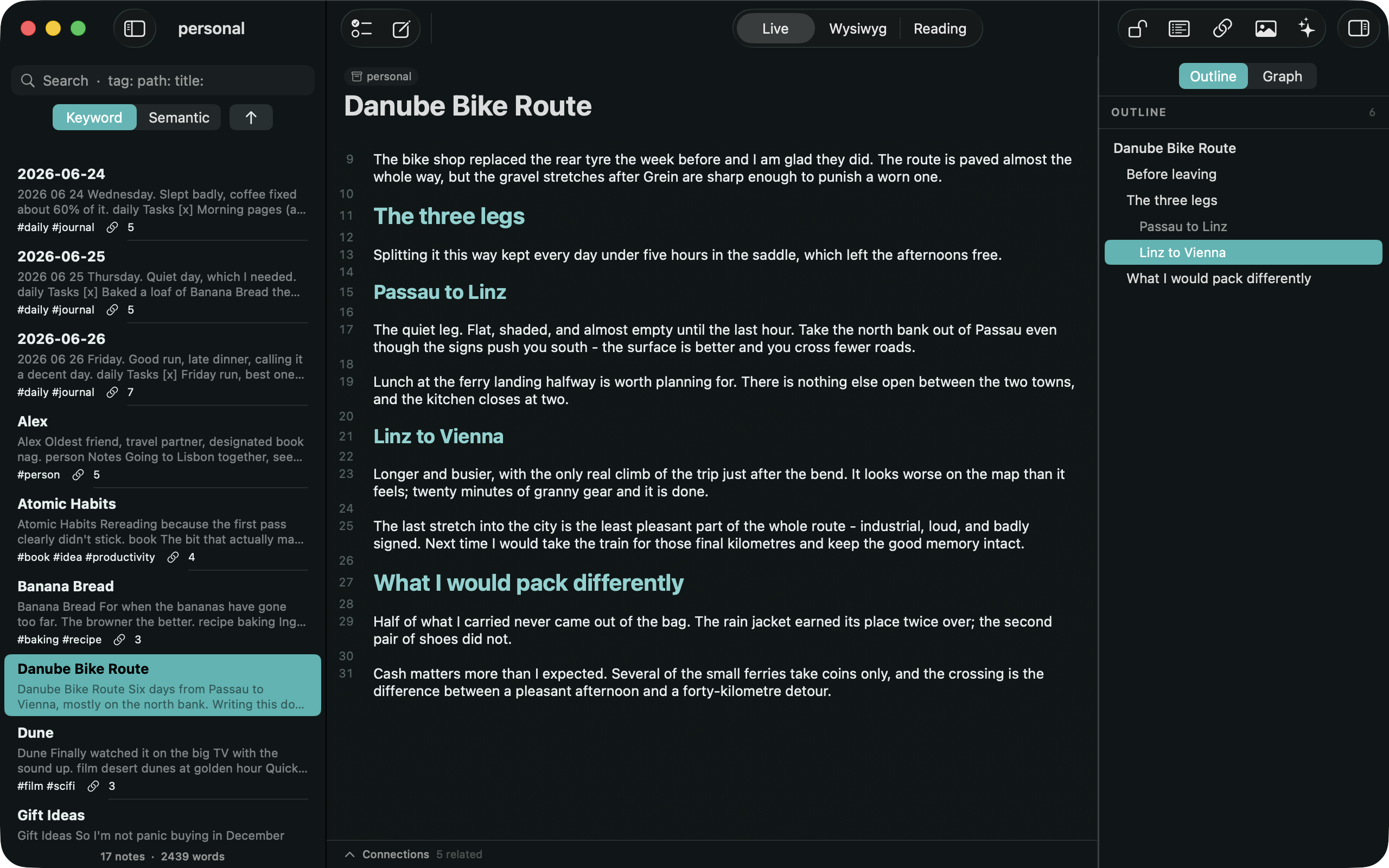
Never lose your place in a long note
Opt-Cmd-I opens a column beside what you are writing. Outline maps every heading, indents by level, and jumps you anywhere in one click - in Live, Wysiwyg and Reading. As you write it follows the caret and highlights the section you are in.
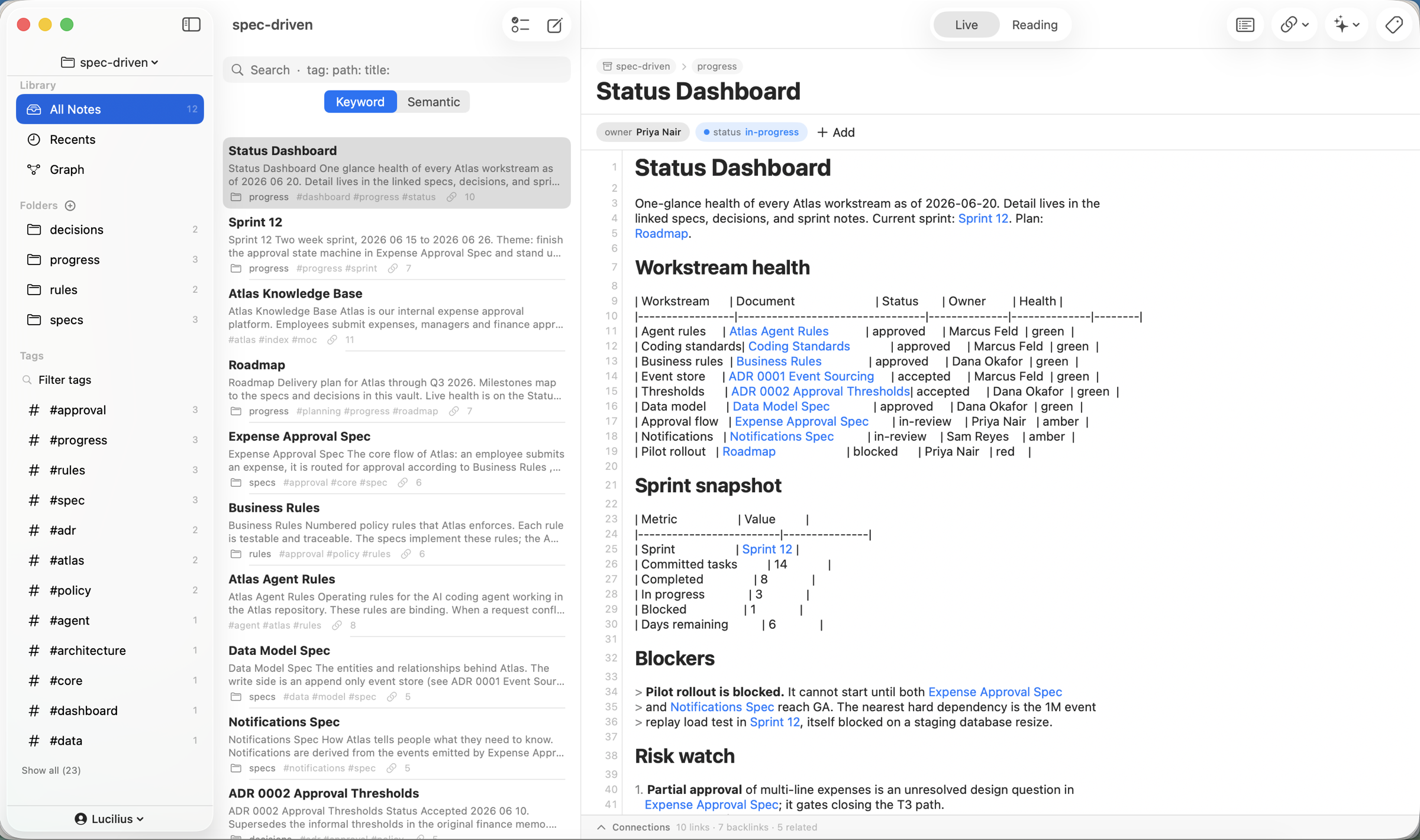
Notes that double as a tracker
Typed properties, Markdown tables, and wiki links turn a vault into a live dashboard - statuses, owners, and due dates roll up across linked notes, all in plain .md you own.
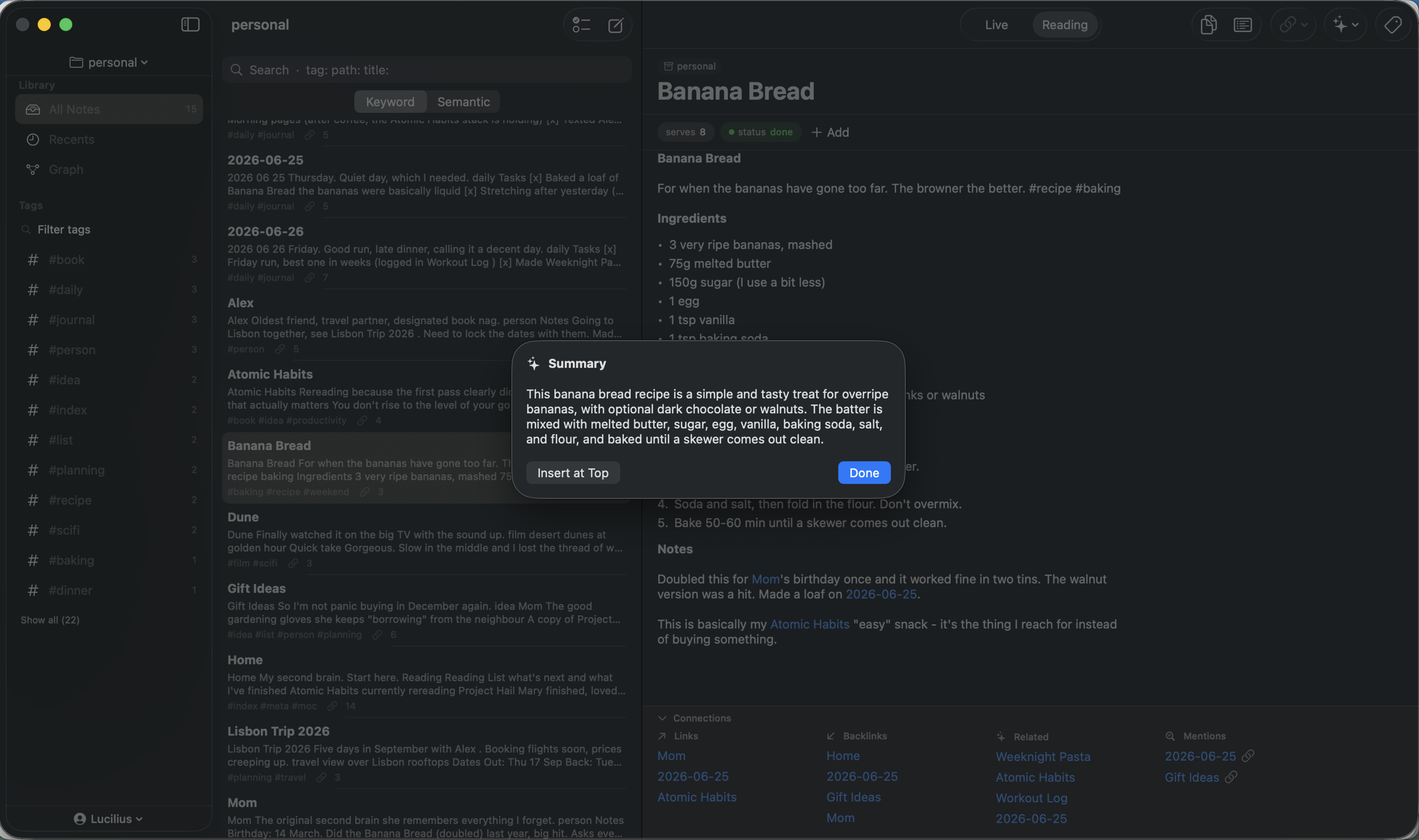
AI superpowers on confidential notes
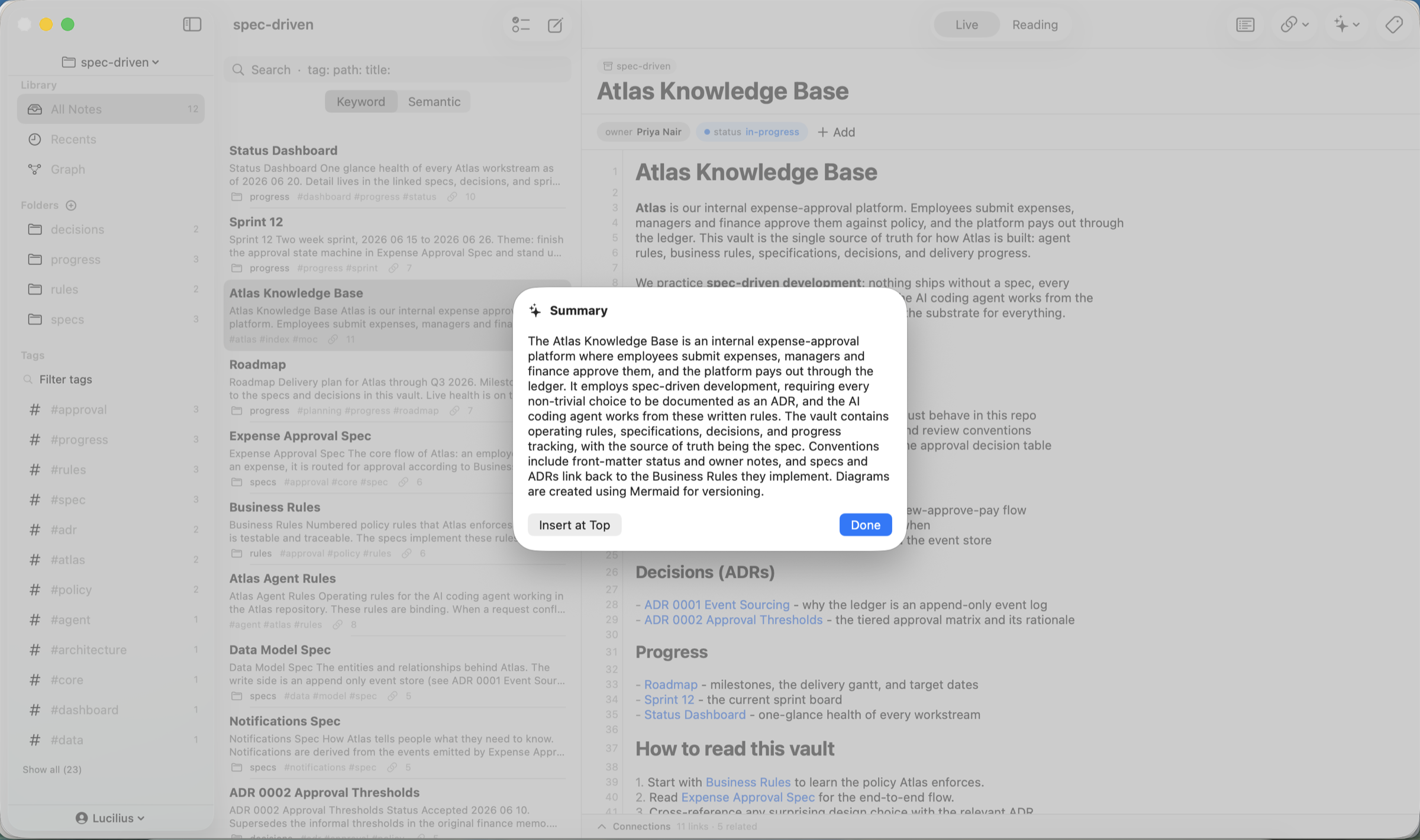
Metis runs Apple's on-device Foundation Models, so the smart features work on your most private knowledge without sending anything to a cloud or paying a per-seat AI fee.
- Summarize a note in a click
- Writing assist: continue, rewrite, fix grammar, make concise, expand
- Suggest tags and links from your own content
- Ask Vault: agentic Q&A across your notes, with citations
- Daily / weekly review digest of what changed
Requires an Apple Intelligence device on macOS 26 or iOS 26. Metis is fully usable without it; AI features are gated and optional. Learn more about private AI.
A knowledge base your coding agents can read
Metis ships a built-in MCP server, so Claude Code, Claude Desktop, and Cursor can search, read, link, and create notes in your vault - the same plain .md files are one source of truth for you and your agents. It runs locally over stdio; your notes never leave your Mac.
search_notes - find notes by keyword/meaningread_note - pull a note into the agent's contextlist_links - follow backlinks and connectionscreate_note - let the agent capture into the vault
How Metis compares
An honest, high-level look. See the full head-to-head pages for the details.
| Feature | Metis | Obsidian | Notion | Apple Notes |
|---|---|---|---|---|
| Notes are plain Markdown files | - | - | ||
| Native (not Electron) | - | - | ||
| Built-in private on-device AI | - | - | Writing tools | |
| Locked, encrypted notes | Plugin | - | ||
| Git version history + diffs | Plugin | Paid | - | |
| Backlinks & graph | - | - | ||
| Price | $19.99 · 3 devices | Free* | Freemium | Free |
* Obsidian is free for personal use; Sync, Publish, and commercial use are paid. Competitor details reflect early 2026.
Frequently asked questions
What is Metis?
Metis is a native, local-first Markdown knowledge base for macOS, iPhone, and iPad. Your notes are plain .md files in a folder you own, and Metis is a fast native view over them - with a live-preview editor, backlinks and a graph, typed properties, on-device AI, semantic search, and git history (Mac). One $19.99 purchase covers all three platforms.
How much does Metis cost?
Metis is a one-time $19.99 purchase, per major version - no subscription. Try every feature free for 7 days first (no credit card). One license covers your Mac, iPad, and iPhone (up to 3 devices); buy on the Mac or the App Store and sign in to unlock everywhere.
Is it an Obsidian alternative?
Yes - a native one. Metis shares Obsidian's local-first Markdown model but is built natively (not Electron) with private on-device AI and git history built in, no plugins required. You can even open your existing Obsidian vault.
Can I lock or encrypt private notes?
Yes. Lock any note with a password and Touch ID; locked notes are encrypted on disk and in iCloud, and stay out of search, Spotlight, and the link graph until you unlock them. Your password is the only key - it cannot be recovered, so choose one you will remember.
Where are my notes stored and is the AI private?
Notes are plain Markdown files on your own disk. The AI runs entirely on-device via Apple Intelligence, so nothing is uploaded. On-device AI needs macOS 26; the app itself runs on macOS 15+.
Can I move my notes in and out?
Always. Notes are standard Markdown + YAML, readable by Obsidian, iA Writer, git, or any editor. Import files or folders, export a note or the whole vault as Markdown or HTML (a linked static site), print or save a note as PDF or Rich Text on the Mac, and there is a Plain Markdown mode that edits a project folder in place.
More from Empiric Apps
More native macOS tools from Empiric Apps.