Security Scanning
Scan images for vulnerabilities, fix them directly in running containers, and export Dockerfile patches.
Overview
Zenithal includes built-in vulnerability scanning powered by Trivy and Grype. Scan any local image to detect CVEs across all layers, then remediate vulnerabilities directly in running containers or export Dockerfile fixes - all without leaving the app.
Scanning an Image
- Go to Images in the sidebar
- Select an image
- Click the Scan button
- Choose your scanner: Trivy or Grype (must be installed)
- View the vulnerability report with severity ratings
- CVE details include links to security advisories
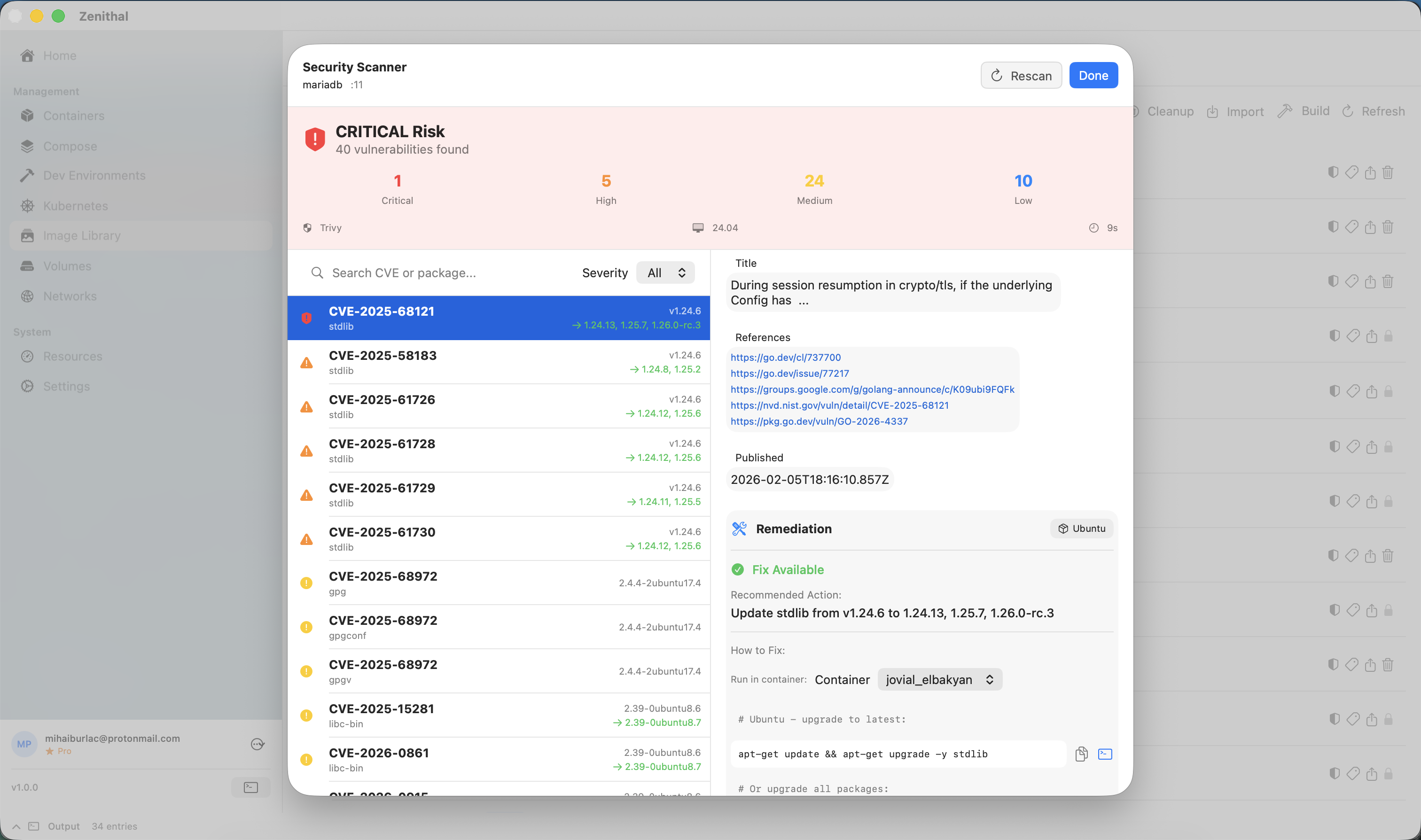
Understanding Results
Vulnerabilities are classified by severity:
- Critical - Immediate action required
- High - Should be fixed soon
- Medium - Fix when possible
- Low - Minimal risk
- Negligible - Informational
Each vulnerability shows: CVE ID, CVSS score, affected package, and fix version if available.
Zenithal also flags base image layer warnings when a vulnerability is in a compiled binary rather than a system package - these cannot be fixed by updating packages and require rebuilding the base image.
Remediation
Zenithal goes beyond detection - you can fix vulnerabilities directly from the scan results:
- Container remediation - Run fix commands directly in a running container. Zenithal auto-detects the container's OS and generates the correct package manager command (apt, apk, yum, dnf, etc.), including cross-distro package name translation (e.g., Debian
xz-utils→ Alpinexz). - Dockerfile export - Export a Dockerfile patch that fixes a single CVE or all vulnerabilities at once. Copy the generated
RUNcommands into your Dockerfile to make fixes permanent.
Best Practices
- Scan images before deploying to production
- Use minimal base images (Alpine, distroless)
- Keep base images updated
- Review and address Critical/High vulnerabilities
- Use Dockerfile export to make container fixes permanent in your build pipeline
- Watch for base image layer warnings - these require rebuilding from a patched base image