Tappie Documentation
Everything you need to master Homebrew package management with Tappie.
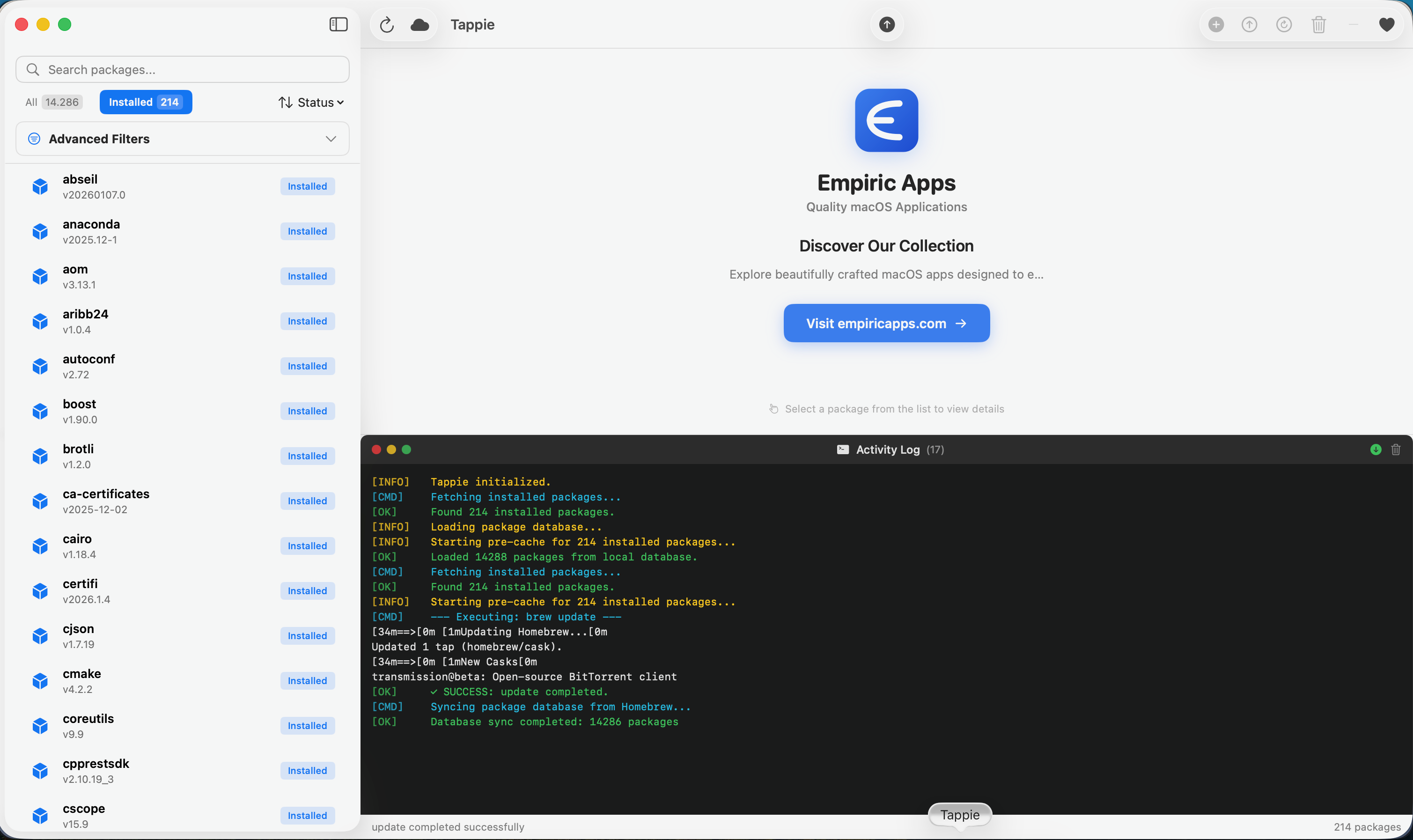
Guides
Getting Started
Install Tappie and manage your first package in minutes.
Package Management
Install, update, and remove Homebrew packages with ease.
Search & Filtering
Find packages quickly with powerful search and filters.
Dependency Graph
Visualize package dependencies with interactive graphs.
Backup & Restore
Export and restore your package configuration.
Troubleshooting
Common issues and how to resolve them.
System Requirements
| Operating System | macOS 14.0 (Sonoma) or later |
| Processor | Apple Silicon (M1/M2/M3/M4) or Intel |
| Required Software | Homebrew installed on your system |
| Disk Space | ~50 MB for the app |
Keyboard Shortcuts
| Action | Shortcut |
|---|---|
| Refresh Package List | Cmd+R |
| Update Homebrew | Cmd+Shift+U |
| Upgrade All Packages | Cmd+U |
| Focus Search | Cmd+F |
| Open Dependency Graph | Cmd+Shift+G |
| Settings | Cmd+, |