Search & Filtering
Find exactly the package you need with powerful search and filter options.
Basic Search
The search bar is the fastest way to find packages:
- Type to filter packages by name and description
- Results update in real-time as you type
- Press
Cmd+Fto focus the search bar from anywhere - Press
Enterto search the remote Homebrew repository
Tip: Press Enter to search beyond your installed packages and find new packages from Homebrew's repository.
Filter Bar
Quick toggles above the package list let you filter by status:
- All - Show all packages (installed + available)
- Installed - Show only installed packages
Sort Options
Click the sort button to change the package ordering:
- By Name - Alphabetical order (A-Z)
- By Status - Installed packages first, then available
Advanced Filters
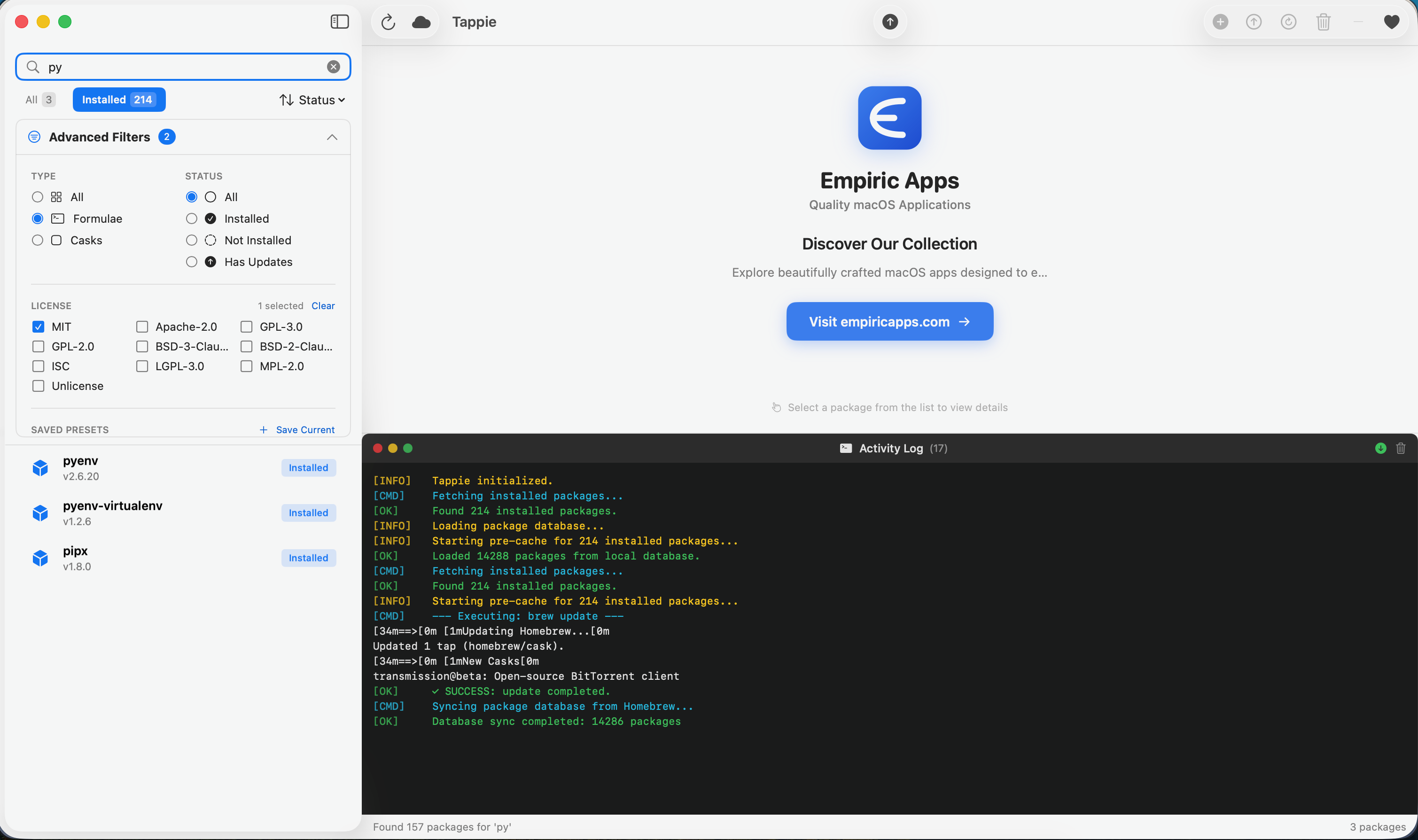
Expand the advanced filter panel for more detailed filtering:
| Filter | Options |
|---|---|
| Package Type | All, Formulae only, Casks only |
| Installation Status | All, Installed, Not Installed, Has Updates |
| License | Filter by specific licenses (MIT, Apache, GPL, BSD, etc.) |
| Has Updates Only | Show only packages with available updates |
Saving Filter Presets
Save your frequently used filter combinations:
- Configure your desired filters
- Click Save Preset
- Enter a name for the preset (e.g., "Outdated Casks")
- Access saved presets from the presets dropdown menu
Example Presets
- Outdated Packages - Show all packages with updates available
- GUI Apps - Show only casks (applications)
- MIT Licensed - Show only packages with MIT license
- Dev Tools - Show installed formulae related to development
Search Tips
Finding Command-Line Tools
Search by the command name you want to use:
- Search
wgetto find the wget download tool - Search
gitto find version control tools - Search
nodeto find Node.js
Finding Applications
Search by the app name:
- Search
chrometo find Google Chrome - Search
codeto find Visual Studio Code - Search
slackto find Slack
Finding by Category
Search by what the package does:
- Search
video editorto find video editing apps - Search
databaseto find database tools - Search
compressionto find archiving tools
Remote Search
When you press Enter in the search bar, Tappie searches Homebrew's full repository of over 10,000 packages. This is useful for finding packages that aren't installed on your system yet.
Remote search results are indicated differently and show as "Available" status.