
Markdown note app for macOS
A Native Markdown Note App for the Mac
Metis is a native macOS Markdown editor that styles as you type - headings, bold, lists, links, and code - and hides the syntax markers on lines you are not editing. A separate Reading mode renders the full document with images, tables, code highlighting, and LaTeX math. Notes are plain .md files you own; $19.99 one-time with a 7-day free trial.
$19.99 one-time · no subscription · 7-day free trial
No edit/preview toggle
Portable, diff-able, scriptable
No subscription, native SwiftUI
Everything you want from a Markdown editor
Live-preview editor
Markdown styles render as you type; syntax markers hide on inactive lines. Optional line numbers. Fast, focused writing.
Reading mode
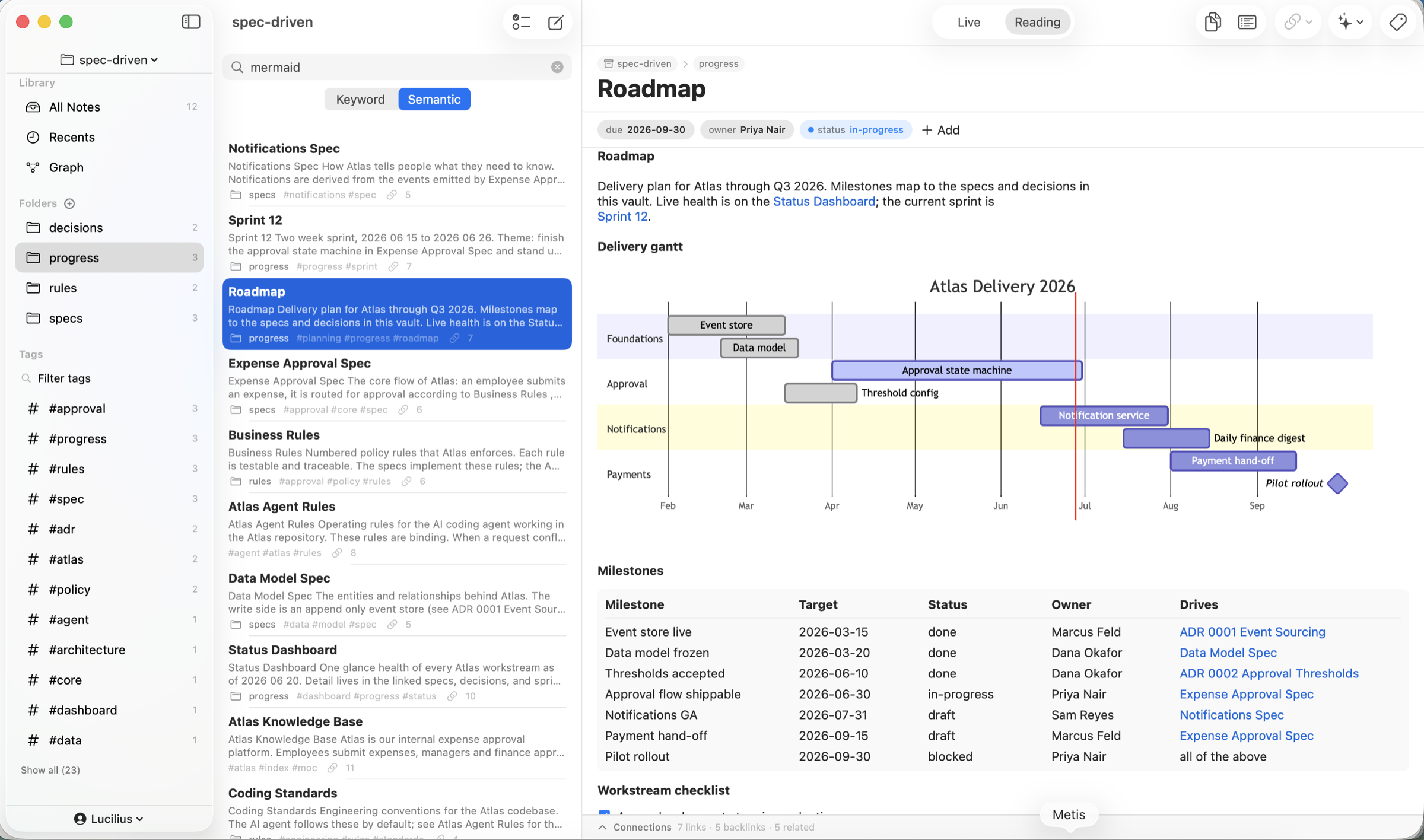
Render the full document - images, GFM tables, code highlighting, and native LaTeX math via $…$ and $$…$$.
Math & code
First-class LaTeX math and syntax-highlighted code blocks make technical notes, specs, and study notes a pleasure.
Links & graph
[[wiki links]] and [[Note#Heading]] section links with automatic backlinks, hover preview, and a graph view turn a folder of notes into a connected web of ideas.
On-device AI
Summarize, rewrite, fix grammar, expand, or continue a selection - private, on-device, no cloud or API key.
Organized your way
A folder tree, typed properties, daily notes, templates, and a quick switcher (Cmd-O) keep large vaults navigable.
Plain files, no lock-in
Every note is a standard Markdown file with optional YAML front matter - readable by Obsidian, iA Writer, git, or any editor. Import individual files or whole folders, export a note or the entire vault, and reveal files in Finder anytime. Your writing outlives the app.
When something has to leave Markdown, it leaves cleanly: print a note with real pagination (Cmd-P), or save it as a PDF or as Rich Text that opens in Pages and Word with headings, emphasis, tables, and images intact.
A Plain Markdown mode points Metis at an existing project folder and edits files in place - a save writes the body only, with no front matter injected and no rename behind your back - ideal for managing a project's docs, agent files, and configs alongside your notes.
- Standard Markdown + YAML front matter
- Import/export individual files or whole folders
- Print, or export a note as PDF or Rich Text
- Plain Markdown mode edits a project folder in place
Fast, native, and private
Metis is native SwiftUI, not an Electron wrapper - it cold-starts instantly and stays light at thousands of notes. The AI runs on Apple's on-device models, so writing assist and summaries work offline and never send your text to a cloud.
On-device AI requires macOS 26 with Apple Intelligence; the editor and everything else work on macOS 15+ without it.
Frequently Asked Questions
Is Metis a good Markdown editor for Mac?
Yes. It is a native live-preview Markdown editor with reading mode, GFM tables, code highlighting, LaTeX math, links and a graph, and on-device AI - storing every note as a plain .md file you own.
Does Metis support LaTeX math and code blocks?
Yes - native LaTeX math via $…$ and $$…$$, plus syntax-highlighted code blocks, both rendered in Reading mode.
Are my notes plain Markdown files?
Yes. Notes are standard .md files with optional YAML front matter on your own disk - portable, diff-able, and readable by other Markdown apps and git.
How much does it cost?
Metis is $19.99 one-time (7-day free trial), no subscription. Sync uses free iCloud file sync.
What macOS version do I need?
macOS 15 or later. The on-device AI features additionally require macOS 26 with Apple Intelligence.