
MCP knowledge base for macOS
A Knowledge Base Your AI Agents Can Read
Modern AI coding tools work best with a real knowledge layer. Metis is a native, local-first Markdown knowledge base with a built-in MCP server - so Claude Code, Claude Desktop, and Cursor can search, read, link, and create notes in your vault. The same plain .md files are one source of truth for you and your agents, and nothing leaves your Mac.
$19.99 one-time · no subscription · 7-day free trial
No hosting, runs locally
Code, Desktop, Cursor
Humans + agents, same notes
What agents can do with your vault
search_notes
Agents find the right notes by keyword (and your own semantic index), so answers are grounded in your knowledge - not guessed.
read_note
Pull a specific note into the agent's context on demand, instead of pasting walls of text by hand.
list_links
Follow backlinks and connections so the agent can traverse related notes the way you would.
create_note
Let an agent capture decisions, summaries, or specs straight back into the vault as plain Markdown.
Any MCP client
Built on the official MCP protocol - Claude Code, Claude Desktop, and Cursor connect the same way.
Local + private
The server is a tiny local stdio binary reading your folder directly. No hosting, no cloud, no per-call fee - your agent's inference, your machine.
One source of truth for humans and agents
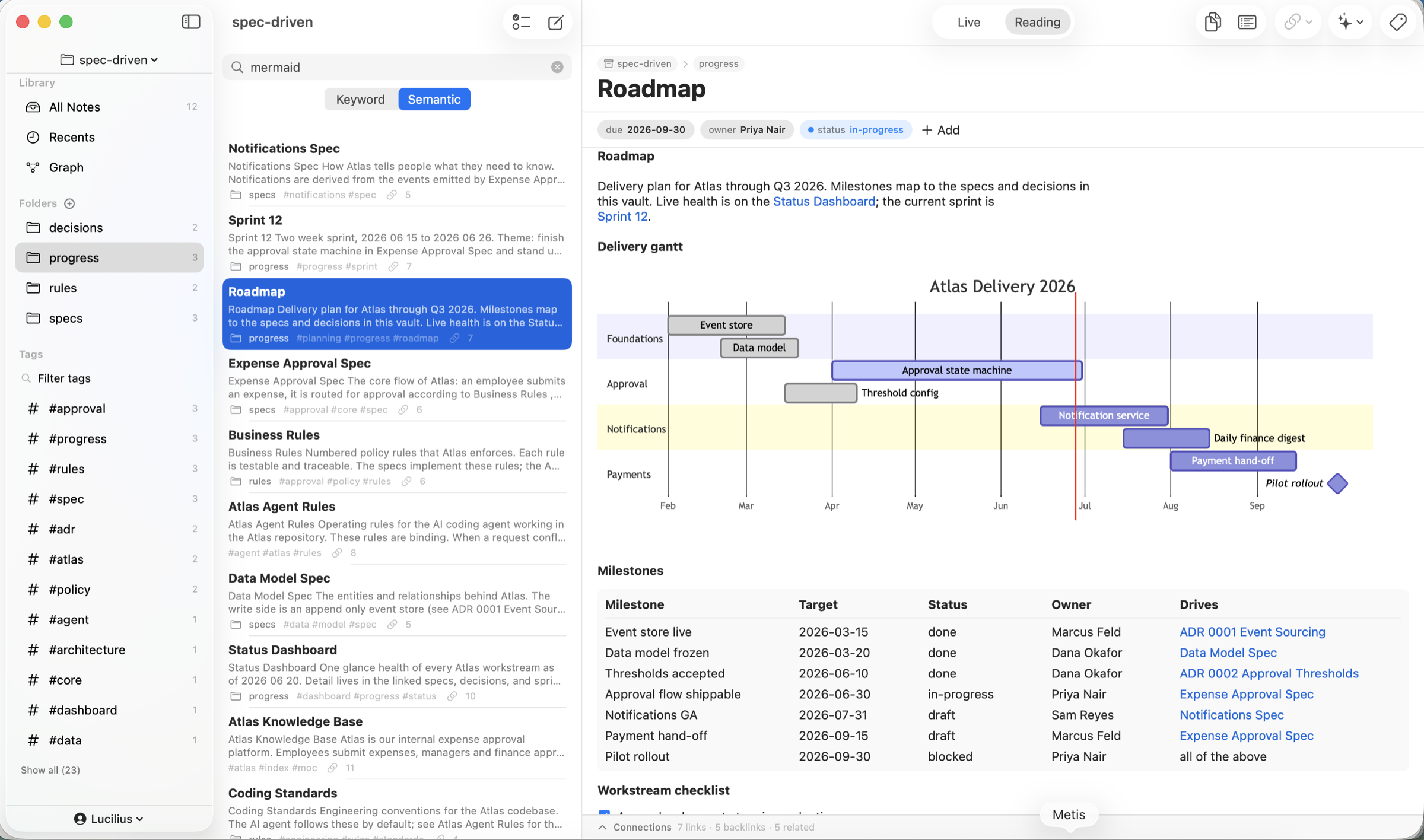
The trap with AI tooling is a second copy of your knowledge that drifts from the real thing. Metis avoids it: your vault is plain .md files you edit by hand AND the exact files agents read and write over MCP. Capture a decision in Metis; your agent sees it. Have an agent draft a spec; it lands in the vault as a normal note you can edit, link, and version.
Because Metis is local-first, this works without uploading anything. The MCP server reads the folder directly; your agent's own client pays for inference - never us, never a Metis cloud (there isn't one).
- Plain Markdown + YAML - readable by you, agents, and git
- Works with Claude Code, Claude Desktop, Cursor (any MCP client)
- Local stdio server - no hosting, no API keys, no cloud
For the builder running a company on Markdown
Open a project's docs/ folder as a vault, organize Company / Project / decisions, and connect them with links. Point your coding agent at the same files via MCP and it can answer questions, follow context, and write progress notes back - while you get a native editor, a graph, typed properties, an agenda, and git history over the very same data.
The MCP server is a developer/power-user capability included with Metis (no extra charge); it is macOS-only today (the Metis app itself is also on iPad and iPhone). On-device AI features inside the app additionally need macOS 26 with Apple Intelligence.
Frequently Asked Questions
What is the Metis MCP server?
A small local stdio MCP server that exposes your Metis vault to MCP clients (Claude Code, Claude Desktop, Cursor) with tools to search, read, link, and create notes. It reads your Markdown folder directly - no hosting and nothing leaves your Mac.
Which AI tools work with it?
Any client that speaks the Model Context Protocol - including Claude Code, Claude Desktop, and Cursor. They connect to the local server the same standard way.
Does it cost extra or send my notes to a cloud?
No extra charge - it is included with Metis ($19.99 one-time, 3 devices). It runs locally over stdio and reads your files directly; your notes are not uploaded. Your AI client pays for its own inference.
Is this different from the in-app AI?
Yes. The in-app on-device AI (summarize, writing assist, Ask Vault) runs privately inside Metis on Apple Intelligence. The MCP server instead lets your external agents use your vault. You can use either or both.
Are my notes still just plain files?
Always. Everything the agent reads or writes is standard Markdown in your folder - portable, diff-able, and editable in Metis or any other app.