
Obsidian alternative for macOS
A Native, AI-Native Obsidian Alternative for Mac
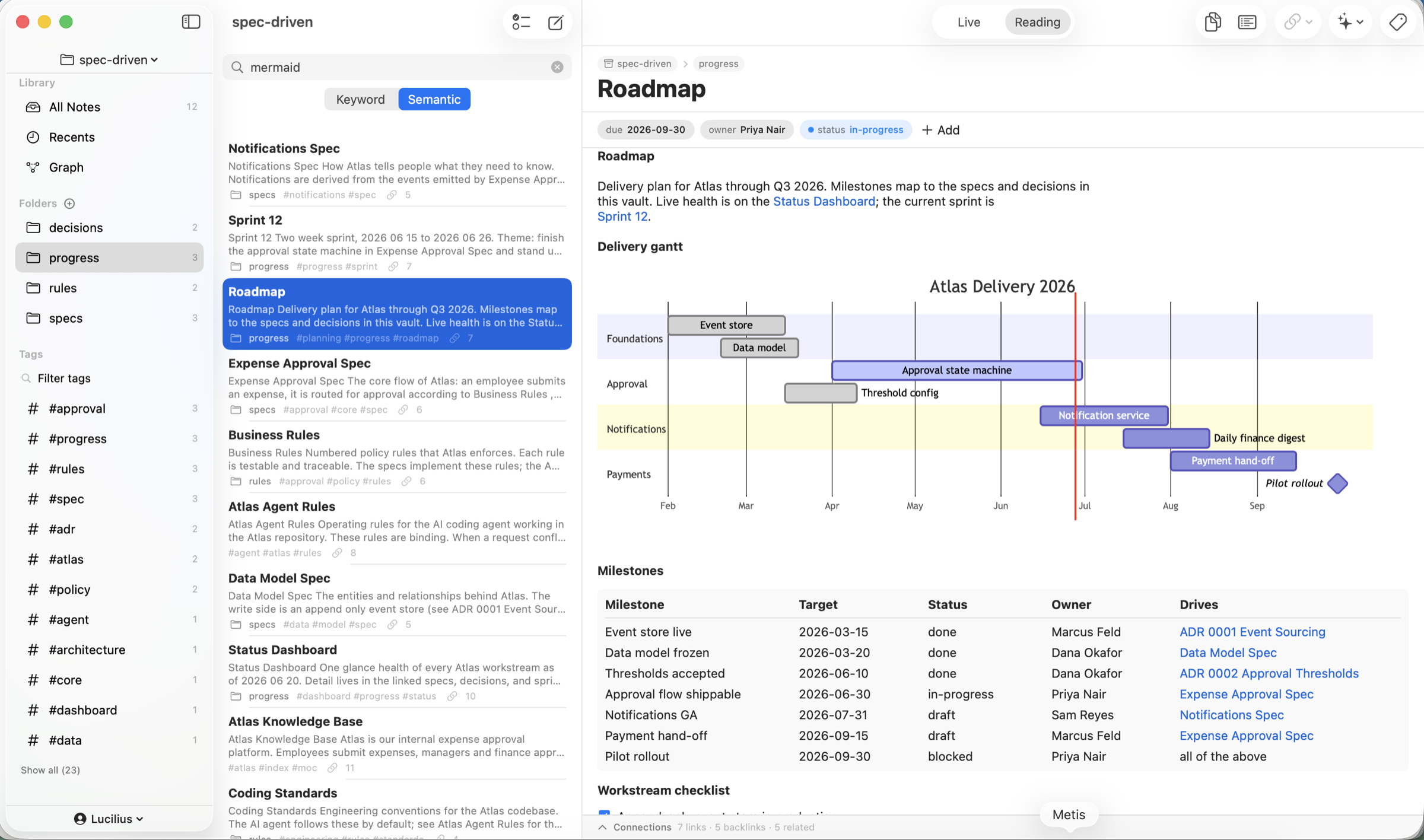
If you love Obsidian's local-first, plain-Markdown model but want a true native Mac app with private AI built in, Metis is for you. Same idea - your notes are .md files you own - rebuilt as a fast SwiftUI app with on-device AI, git version history, typed properties, and an agenda, no plugins or API keys required. $19.99 one-time, with a 7-day free trial.
$19.99 one-time · no subscription · 7-day free trial
Instant start, light at scale
No plugins, no API keys
No subscription · 7-day trial
What you keep from Obsidian - and what gets better
Links, backlinks & graph
[[wiki links]] and [[Note#Heading]] section links with automatic backlinks, aliases, unlinked mentions, hover preview, and a graph view sized by connections - the PKM core, built in.
Native, not Electron
A real macOS app: instant cold start via a persistent index, low memory at thousands of notes, native text and shortcuts.
Private AI without plugins
Summarize, suggest tags/links, writing assist, and Ask Vault - all on-device via Apple Intelligence. No API key, nothing leaves your Mac.
Git history with diffs
Make a vault a git repo for snapshots, per-note history, side-by-side diffs, and one-click restore - inside the app, no plugin.
Semantic search
Find notes by meaning, not just keywords, with on-device embeddings - private and better than literal search.
Your files, no lock-in
Standard Markdown + YAML front matter. Point Metis at an existing Obsidian vault, or keep editing the same folder in both.
Bring your Obsidian vault as-is
Metis works on a folder of plain Markdown with YAML front matter and [[wiki links]] - the same shape Obsidian uses. Import a vault (folders included) or point both apps at the same folder; your links, tags, and properties carry over. Nothing is trapped, ever.
A Plain Markdown mode edits an existing project folder in place - no front-matter injection, and a file is renamed only when you type a new name for that note yourself - so docs, agent files, and configs consumed by other tools stay untouched.
- Standard Markdown + YAML, [[wiki links]], aliases, tags
- Import individual files or whole folders recursively
- Plain Markdown mode edits a project folder in place
Why native matters here
Obsidian's Electron base is what makes it cross-platform - and also what makes it a bundled browser on your Mac. Metis is native SwiftUI: lighter, faster to start, and, crucially, able to run Apple's on-device models directly. That is how the AI stays private and built-in - no cloud, no per-seat AI fee, no API key in a plugin.
Honest note: Metis is Apple-only (Mac, iPad, iPhone) and has no plugin ecosystem. If you need Windows, Linux, or specific community plugins, Obsidian is the better fit - see our full Metis vs Obsidian comparison.
Frequently Asked Questions
How much does Metis cost vs Obsidian?
Metis is $19.99 one-time (per major version), with a 7-day free trial and no subscription. Obsidian is free for personal use but charges for Sync, Publish, and commercial use. You are paying for native performance, built-in private AI, and git history rather than assembling plugins.
Can I open my Obsidian vault in Metis?
Yes. Metis uses the same plain Markdown + YAML + [[wiki links]] format. Import your vault or point both apps at the same folder; links and properties carry over.
Does Metis have AI like Obsidian plugins?
Better - it is built in and private. Summarize, tag/link suggestions, writing assist, and Ask Vault run on-device via Apple Intelligence (macOS 26), with no API key and nothing uploaded. The app is fully usable without AI on earlier macOS.
What does Obsidian still do better?
Cross-platform and mobile apps, a huge community plugin ecosystem, and years of maturity. Metis is Apple-only (Mac, iPad, iPhone) and ships a fixed (but complete) feature set instead of plugins.
What are the requirements?
macOS 15 or later to run Metis. The on-device AI features additionally need macOS 26 with Apple Intelligence; everything else works without them.