Local-first note-taking for macOS
Local-First Note-Taking - Own Your Notes
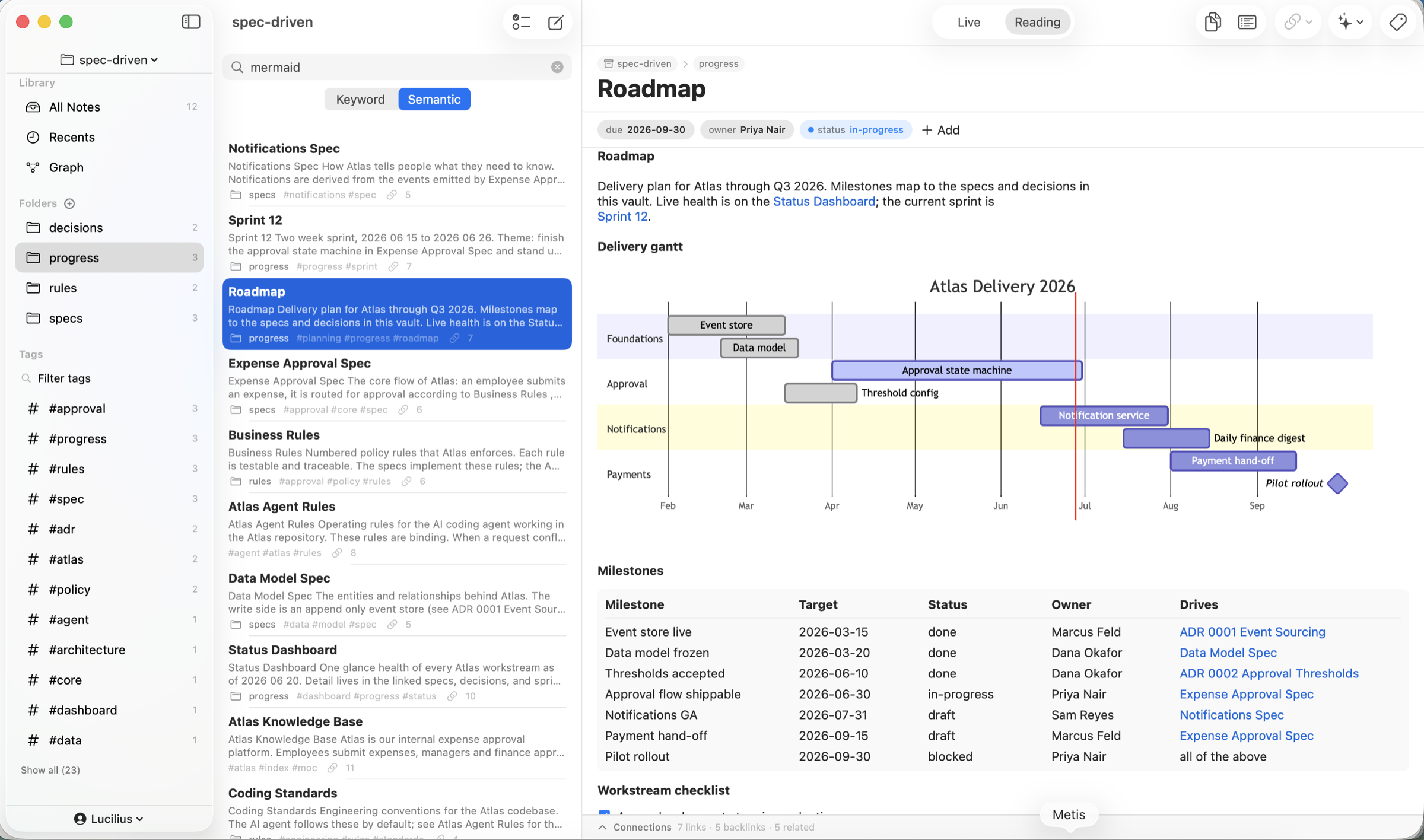
Most note apps keep your thinking on someone else's servers. Metis is local-first: the files on your disk are the source of truth, and the app is a fast native view over them. Your notes work offline, open in any editor, diff in git, and outlive the app. Sync via iCloud only if you want to. $19.99 one-time, with a 7-day free trial.
$19.99 one-time · no subscription · 7-day free trial
Not a vendor's cloud
No account required
Snapshots, diffs, restore
What local-first actually gets you
Files on disk
A vault is just a folder of Markdown files you control - back them up, script them, or open them in any other app.
Works offline
No login, no server round-trips. Your notes are always available, even with no connection.
Open format
Plain Markdown + YAML front matter - portable, diff-able, future-proof, and readable by Obsidian, iA Writer, or git.
Optional iCloud sync
Files-first iCloud sync across your Macs, iPhones, and iPads, with conflict detection and a resolution UI on every platform - your files in your iCloud, not a proprietary cloud. Or keep a vault on one device only.
Version history
Make a vault a git repo for snapshots, per-note history, side-by-side diffs, and one-click restore - real provenance for your knowledge.
Private AI
On-device AI means even the smart features never upload your notes - confidentiality is the default, not a setting.
No lock-in, by design
Local-first only means something if you can leave. Metis reads and writes standard Markdown, so you can import a folder, edit it, and walk away with the exact same files. A Plain Markdown mode even edits an existing project folder in place - no front-matter injection, no renaming - so other tools that read those files keep working.
Because the files are yours, you can put them under git, back them up with Time Machine, sync them with iCloud, or process them with scripts. The app is a great view; it is never a cage.
- Standard Markdown + YAML - bring notes in and out freely
- Plain Markdown mode edits a project folder in place
- Works with Obsidian, iA Writer, git, and your own scripts
Private by default
Local-first and private go together. Your notes stay on your Mac, and the AI runs on-device via Apple Intelligence - summarize, writing assist, and Ask Vault all work without sending anything to a cloud or paying a per-seat AI fee.
Requires macOS 15+. On-device AI needs macOS 26 with Apple Intelligence; the app is fully usable without it.
Frequently Asked Questions
What does local-first mean?
Your data lives on your device as ordinary files, and the app works on those files directly. There is no required server; the cloud (if any) is an optional sync layer, not the source of truth.
Where does Metis store my notes?
As plain Markdown files in a folder you choose, on your own disk. You can back them up, script them, or open them in any other Markdown app.
Can I sync across devices?
Yes, optionally, via iCloud Documents sync across your Macs, iPhones, and iPads, with conflict detection and a resolution UI on every platform. It is files-first - your own files in your own iCloud - so you keep ownership. On iPhone and iPad a vault can also live On My iPhone or On My iPad, with no iCloud account at all.
Does the AI send my notes anywhere?
No. AI runs entirely on-device via Apple Intelligence (macOS 26). Nothing leaves your Mac, and there is no per-seat AI fee.
How much does Metis cost?
Metis is $19.99 one-time (7-day free trial), with no subscription.