Blog · July 26, 2026
Metis 2.0: your work leaves the app.
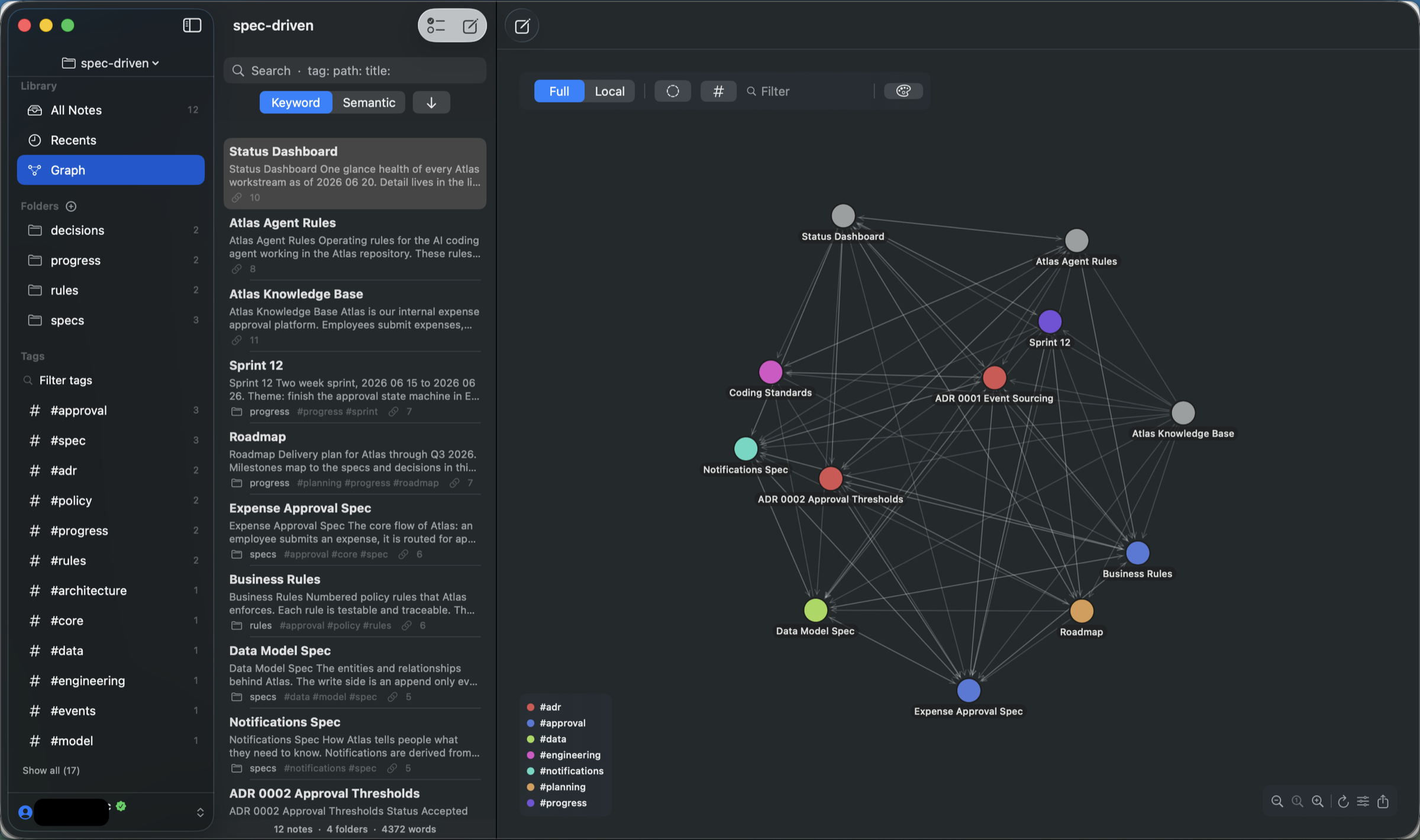
The point of a local-first knowledge base is that nothing is trapped. Your notes are plain .md files in a folder you chose. You can open them in any editor, put them under git, or walk away and take everything with you.
Owning the files is only half of it, though. A note you cannot hand to someone who does not use Metis is still, in a practical sense, stuck. Metis 2.0 is about the other half: getting your work out, in the form the situation actually calls for.
Print it, or hand it over as a PDF or a Word document
Cmd-P prints the rendered note - real pagination, not a screenshot of a scrolling view. The same document saves as a PDF, or as Rich Text that opens in Pages and Word with its formatting intact: headings still headings, lists still lists, code still monospaced.
This is the gap that used to send people to a Markdown converter and a bit of cleanup. A spec goes to a client as a PDF. Meeting notes go to someone who lives in Word. A reading list gets printed. Your source of truth stays a plain .md file the whole time.
Take the graph with you
Export the graph as a PNG at 1x, 2x or 3x, or as a vector PDF that stays sharp at any size. Optionally with a transparent background, so it drops into a slide deck or a document without a white box around it.
The export always renders the whole graph, not the part currently on screen. That sounds like a detail until you try it somewhere else and get a screenshot of your viewport with half the nodes cut off.
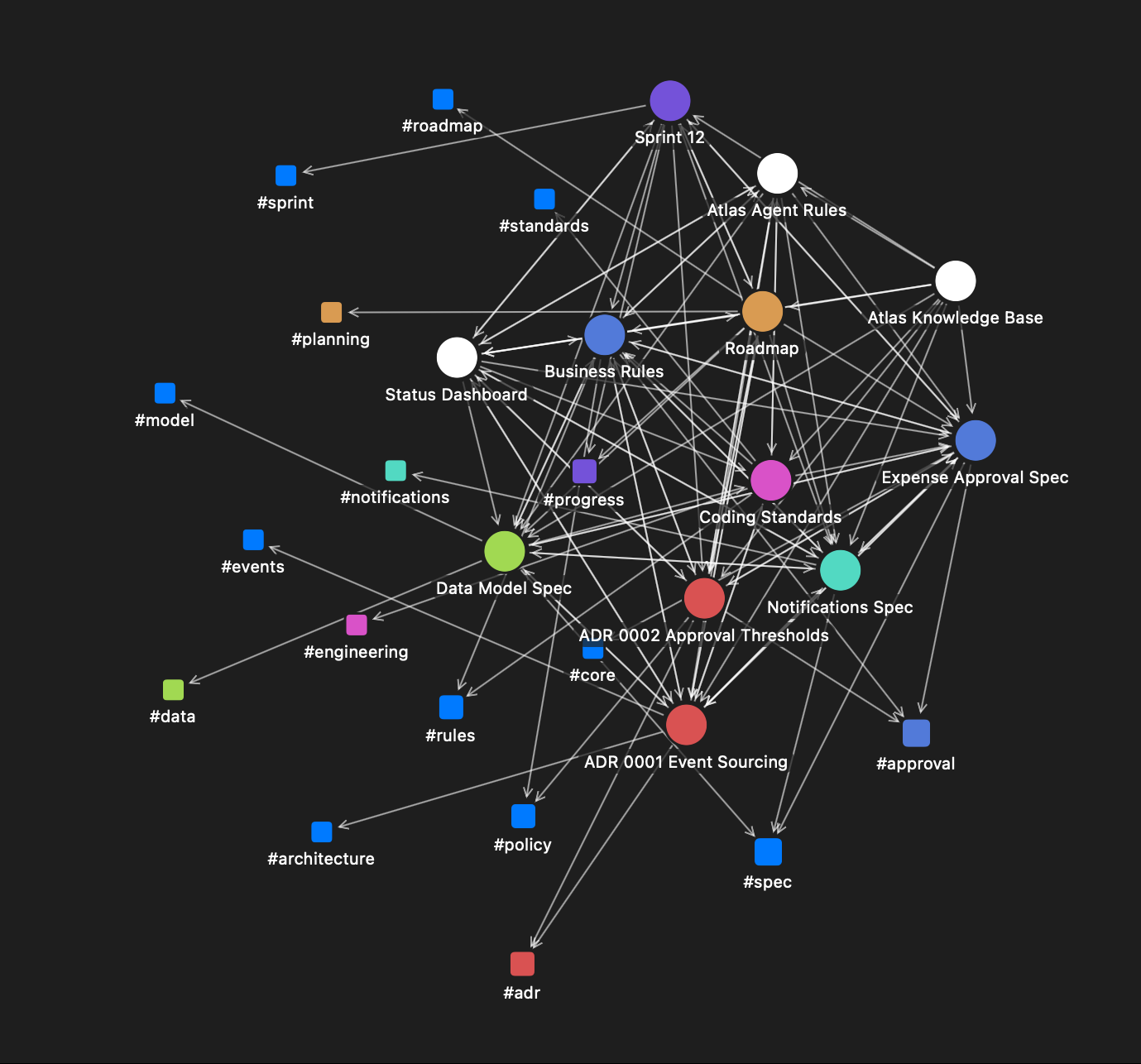
This one is not a screenshot. It is the PNG Metis wrote to disk - the whole graph, including the tag nodes sitting well outside what fits on screen.
Where this earns its place: a research overview you actually want to show someone, a map of a project's decisions pasted into a review doc, or the honest version - seeing the shape of six months of notes at full size, which is hard to do through a window.
Graph export is a Mac feature. The graph itself, with all its controls, is on Mac, iPad and iPhone.
Tags become part of the map
Turn on Show tags and every tag becomes a node in the graph, with an edge to each note carrying it. A tag you have used forty times stops being a filter in a sidebar and starts being a visible hub - and a tag you used twice, three months ago, stops hiding.
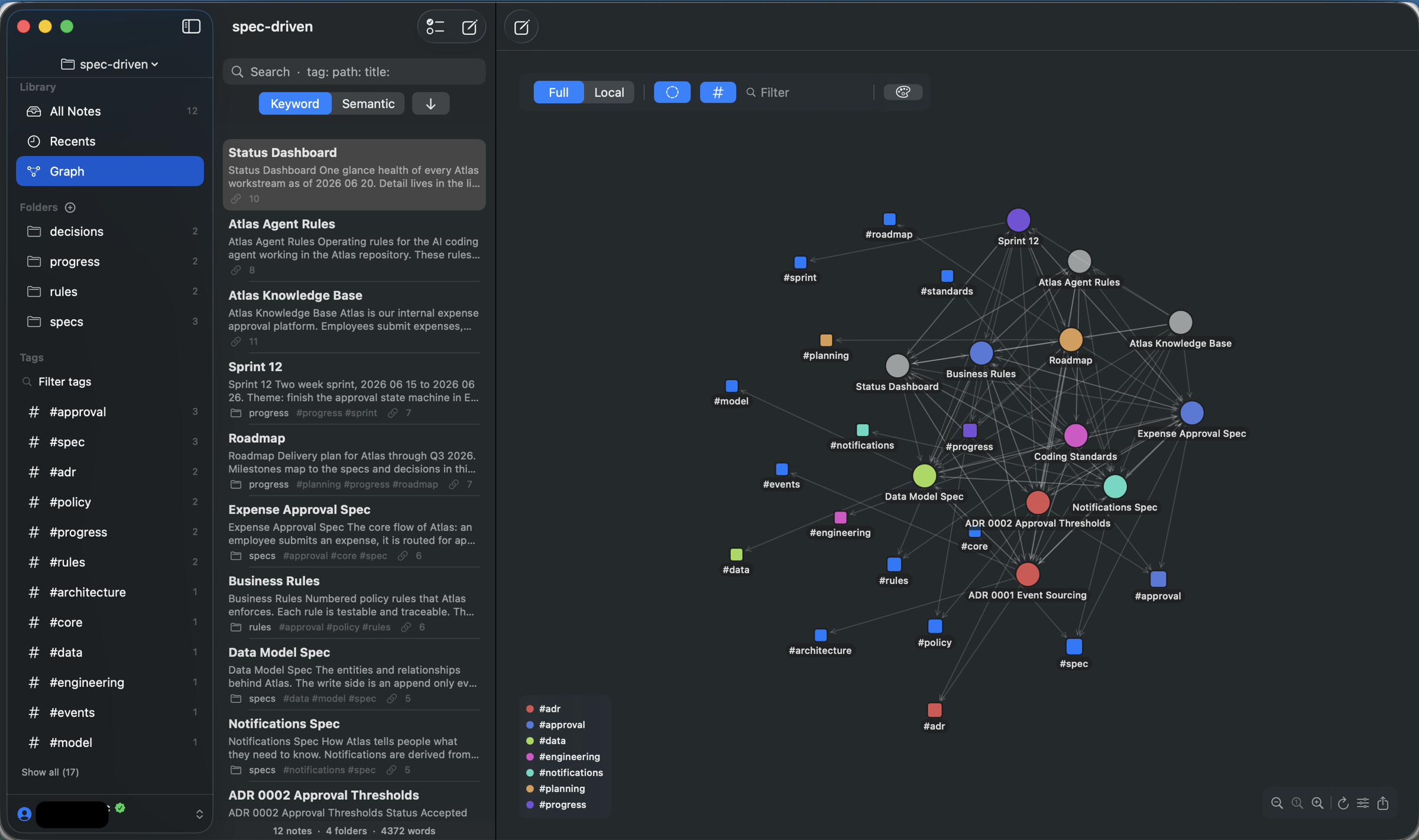
The same twelve notes as the graph at the top of this page, with Show tags on. The squares are tags.
It is a toggle, not a new mode: turn it off and the graph is exactly the note graph you had before. On Mac, iPad and iPhone.
Links that read like prose
A wiki link points at a note title, and note titles are written for filing, not for sentences. So you end up with paragraphs that read like a directory listing.
Edit Link Text renames what a link displays without touching the raw Markdown or the link's target - right-click on Mac, long-press on iPhone and iPad. It works on [[wiki links]] and on regular [text](url) links.
And on Mac, when you select a few words and link them to a note, those words stay as the visible label instead of being replaced by the note's title. Small, and it changes how much editing you do after every link.
Your own colours, on top of any theme
Pin the text, background, heading and link colours you want and they sit on top of whichever theme you picked - Nord, Gruvbox, System, whatever. A custom background colours the note itself, not the window around it, so you get the reading surface you want without the app turning into a different app.
And it got quicker where it was slowest
When a file changes outside Metis - git pulls a branch, an AI agent rewrites a doc, another editor saves - Metis now patches the graph for that one file instead of re-parsing every link in the vault. Roughly 9x faster on a 10,000-note vault. If you work in a folder that other tools also write to, this is the change you will feel most and think about least.
Nothing changes on disk
Worth stating plainly, because a major version number usually implies a migration: 2.0 does not change the file format. No new markers get written into your notes, no conversion step, no "upgrading your vault" progress bar.
Vaults stay compatible in both directions. A vault that 2.0 has touched opens in 1.x and looks the same. A 1.x vault opens in 2.0 with nothing to migrate. If you keep the same folder open in Obsidian or iA Writer, that keeps working too - it is still Markdown with YAML front matter and [[wiki links]].
What is not in 2.0
Block-level links - linking to a single paragraph rather than a note or a heading - are not in this release. They were planned, and they were cut. They stay on the list without a date, and we would rather say that than let a roadmap line do the work of a shipped feature.
Section links do work today, and have since 1.4: [[Note#Heading]] jumps to a heading, and [[#Heading]] links within the note you are in.
What Metis costs from 2.0
Metis 2.0 is $19.99, one time. One licence covers a Mac, an iPad and an iPhone, there is no subscription, and there is a 7-day free trial before you decide anything.
For context, the apps Metis is usually compared against: Bear is $29.99 a year, every year. iA Writer is $49.99 on Mac and $49.99 again on iOS, bought separately. Ulysses is $39.99 a year. Metis is a one-time purchase, per major version, and 2.x updates are free within 2.x.
If you already own Metis, 2.0 is free
Everyone holding a Metis licence when 2.0 ships gets 2.0 at no cost. Nothing to claim, no code to enter, no email to send - sign in as usual and it is there. You bought this app early; that is the thank-you.
Going forward the rule is published and applies to everyone: any purchase made in the 90 days before a new major version includes that major version, free.
And if you are in the middle of a trial, or trialled Metis recently and never got around to deciding, get in touch - we will sort you out on the old price. You do not need to prove anything; we can see the trial on the account.
Metis 1.x keeps working exactly as it does today. No nag screens, no countdown, no feature that quietly stops.
Requirements
macOS 15 or later, or iOS and iPadOS 18 or later. The on-device AI features - summarize, writing assist, Ask Vault - additionally need macOS 26 with Apple Intelligence; everything else works without them, and always has.
Try it for 7 days
Point it at a folder of Markdown you already have - an Obsidian vault, a project's docs/, anything. Nothing is copied, nothing is converted.
Related: Metis as a native Obsidian alternative · Full changelog