Blog · July 31, 2026
EmpiricCommander 2.0: the file manager stopped needing the other apps.
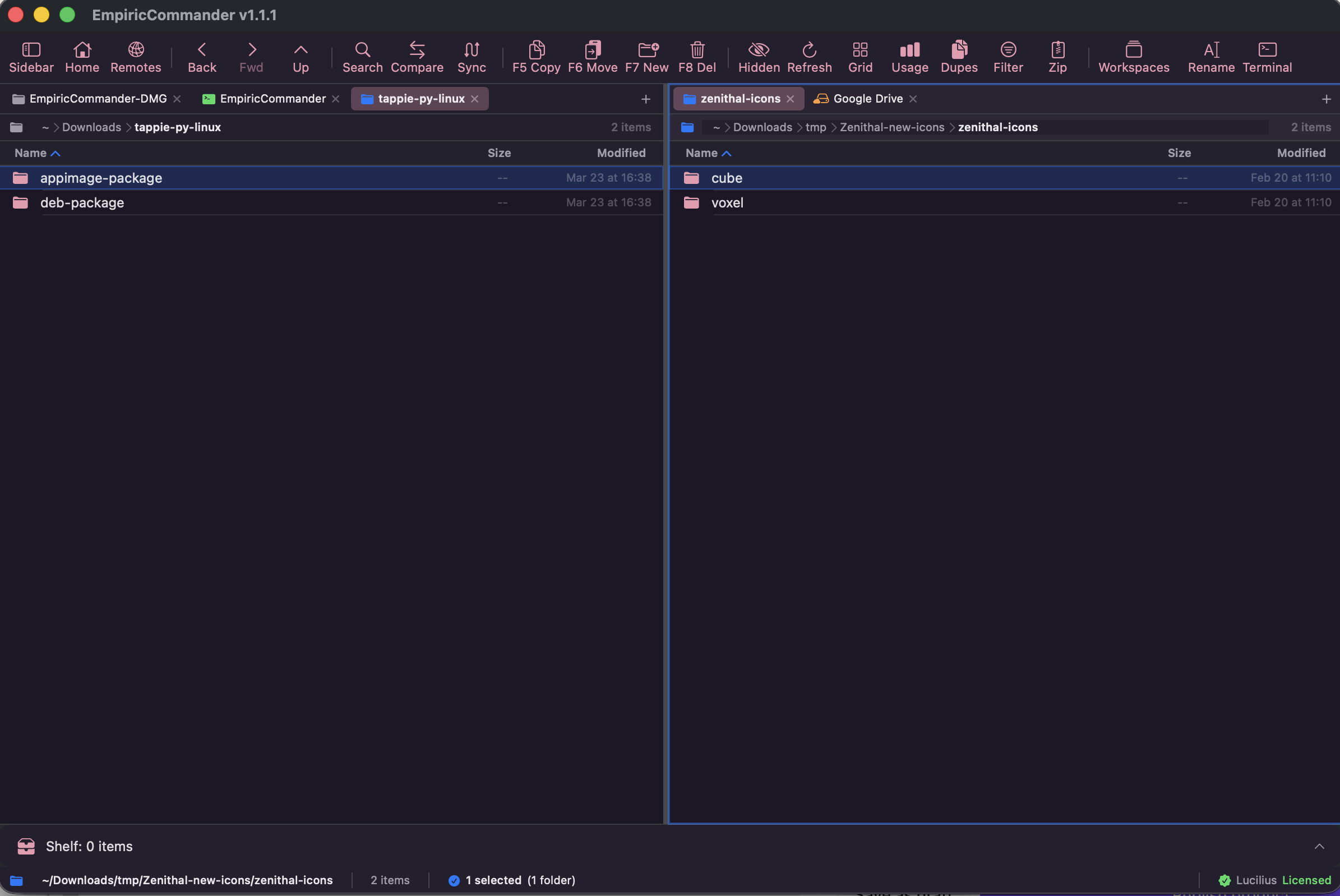
Nobody's actual job is "browse files". The job is: get this build onto that server, check it arrived intact, fix the config that turned out to be wrong, commit the fix, and restart the thing. That is four applications on most people's machines, and it has been four applications for about twenty years.
EmpiricCommander spent its 1.x line quietly absorbing them, one free update at a time. 2.0 is where we stop describing it as a file manager that happens to have extras, and start describing it as what it turned into.
A real shell, next to the files it operates on
2.0 adds an SSH terminal: a genuine remote session against the server you already have open in the other pane, with host-key verification on first connect - not a command box that shells out to something else. It runs on all three - Mac, iPad and iPhone.
The point is not that a terminal exists - you have several. The point is where it is. You are looking at a directory on a remote host, you need to chmod something or tail a log, and the shell is in the same window as the directory, authenticated against the same connection you already set up. The round trip through a separate app, a separate saved host and a separate set of credentials just goes away.
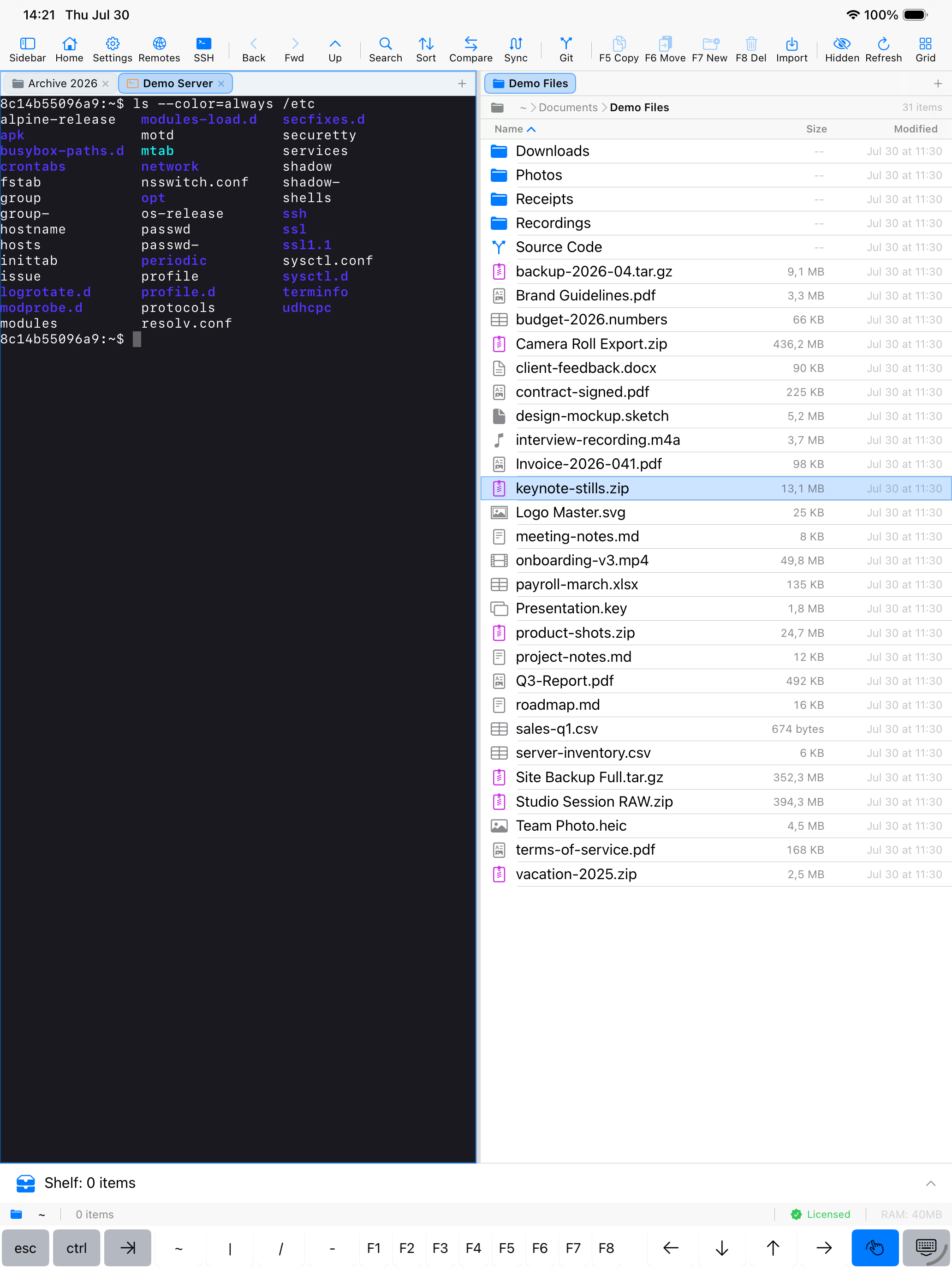
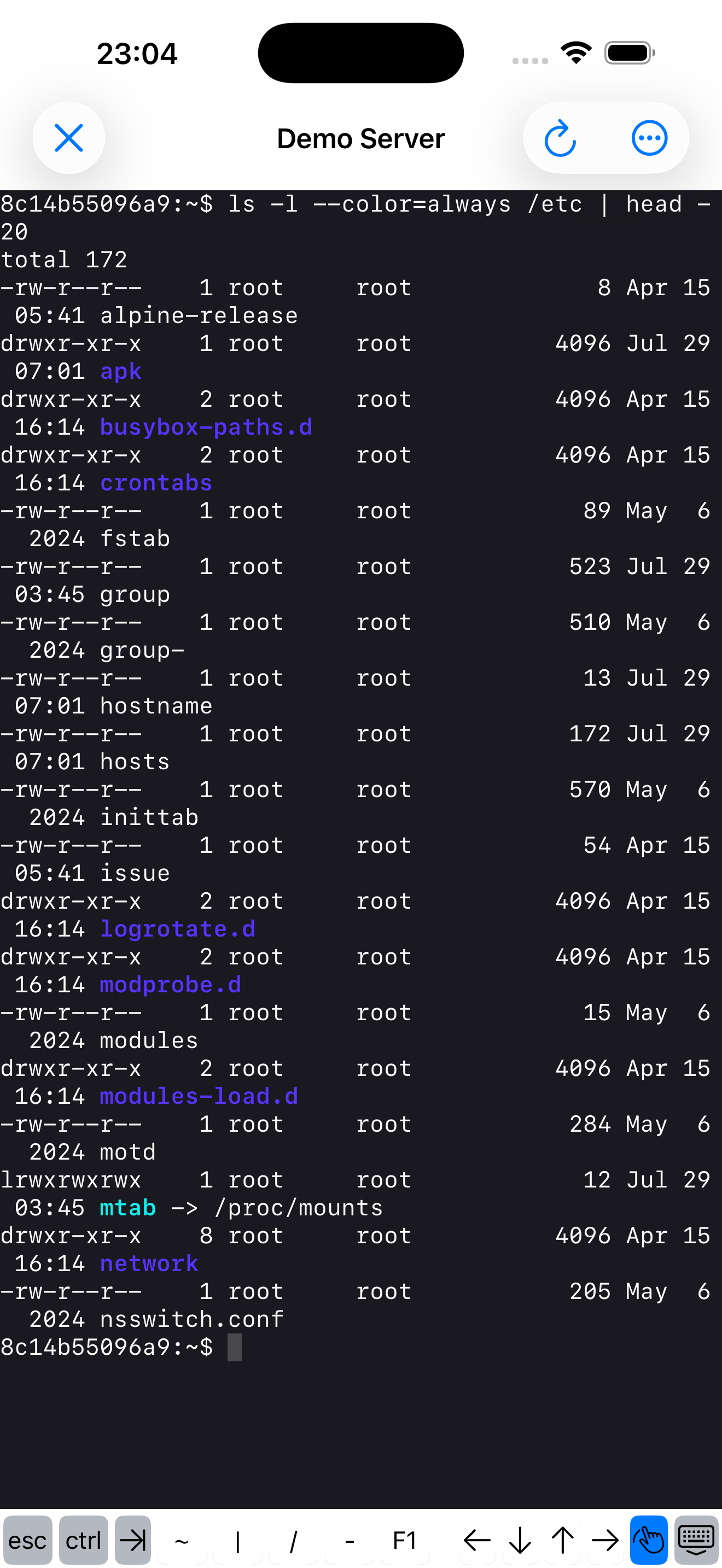
Both shot on device. The left pane is a real session against a real server, and the row along the bottom is the one that makes a touchscreen usable as a terminal - esc, ctrl, tab, pipe, and the function keys.
On an iPad that is the difference between carrying a laptop and not.
SSH keys, and the servers that used to refuse us
2.0 authenticates with Ed25519, RSA and ECDSA P-256, P-384 and P-521, with passphrases, on every platform - and the same credentials serve both the new shell and ordinary SFTP transfers.
One line of that deserves spelling out, because it is a bug fix wearing a feature's clothes: RSA keys are now signed rsa-sha2-512 and rsa-sha2-256. Modern OpenSSH refuses SHA-1 signatures, so a hardened server that simply would not let you in with 1.9.0 lets you in with 2.0. If you tried EmpiricCommander against your own box and it failed authentication for no reason you could see, that was this.
Keys and passphrases live in the Keychain, never in the connection record - and as of 2.0, deleting a connection erases its Keychain material with it. Before, the password, private key and passphrase outlived the connection under an id nothing referenced any more.
Git, without going back to the Mac
This one started free in 1.9.0 and it is the single most useful thing in the app that people do not know is there. On an iPad you can clone a repository, open a file in the built-in editor with syntax highlighting, stage and commit, switch and merge branches, stash, read the history as a topology graph, and push - no Mac, no separate Git client, no shell gymnastics.
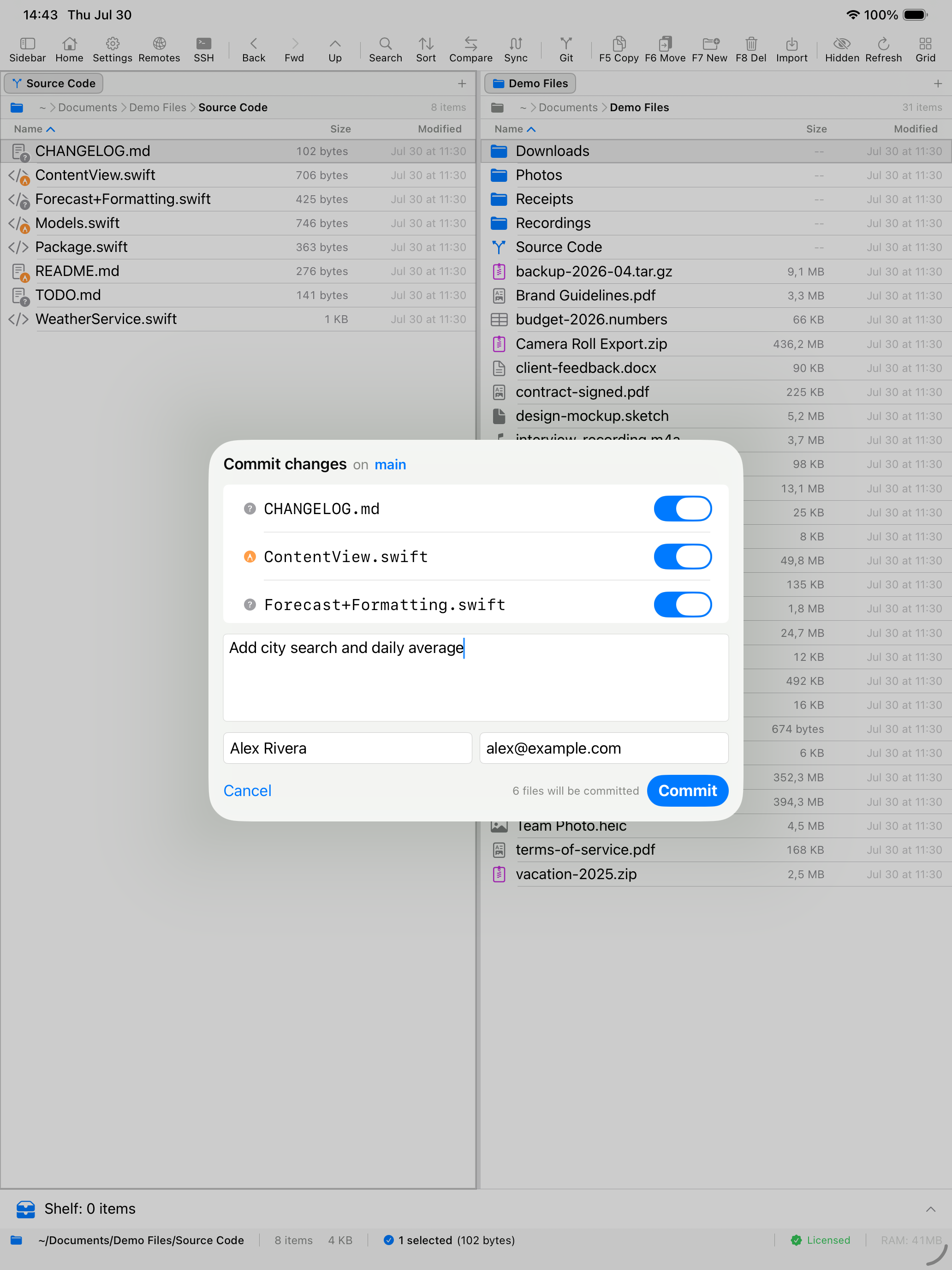
Two limits worth knowing before you plan around it. iPad Git authenticates over HTTPS with a personal access token - GitHub, GitLab and most hosts offer that, so the workflow works, but Git remotes over SSH are macOS-only. And there is no Git on the iPhone at all: the iPhone app is single-pane and the Git surface lives in the dual-pane layout. The shell runs on all three; Git is a Mac and iPad thing.
Update, 4 August 2026: 2.1 removed both limits. Git clones, fetches and pushes over SSH with the host key pinned after you confirm it once, and Git runs on the iPhone too - through its own toolbar entry rather than the dual-pane layout, which is still Mac and iPad. 2.1 also added conflict resolution: per file, take either side or abort. Not per hunk.
Three smaller things in 2.0
- Extract an archive where it lives. A zip sitting on a remote server or in a bucket extracts in place. You no longer download it, unpack it locally and upload the result. On iPhone and iPad too.
- A Get Info panel - size, dates, permissions and ownership for a file or a selection, on local and remote alike.
- Manage Connections, reworked - search, sort, single-line rows and inline actions. Cosmetic if you keep three connections, and the difference between usable and not if you keep thirty.
And everything else that landed while you were not looking
If you bought EmpiricCommander a year ago and have been letting it update itself, you own considerably more app than you paid for. Nothing in this list cost anyone an upgrade:
- SMB network shares (1.7) - Windows boxes, NAS drives and Mac File Sharing, discovered automatically, streamed rather than loaded into memory. Servers offering only the obsolete SMB1 are refused with an explanation instead of a silent downgrade.
- A built-in text editor (1.9) - edit a file in place and save it back through any connection, local or remote. On the Mac your external editor stays the default.
- Workspaces (1.8) - save a whole dual-pane layout, both sides, every tab, and switch between them with Ctrl-Cmd-1 through 9.
- On-device AI batch rename (1.6) - describe the renaming you want in plain language and review the proposed names before anything is touched. It runs on the device; nothing is uploaded.
- Connection sync over iCloud (1.8, optional and off by default) - your saved connections and workspaces on every device, with passwords staying in the Keychain rather than being uploaded.
- Folder Compare with SHA-256 verification - re-read same-size files byte for byte and catch the silent corruption a size-only comparison reports as identical.
- S3, Azure, Backblaze B2, Cloudflare R2, Wasabi, Storj, WebDAV, SFTP and FTP, plus Docker, Lima and Colima containers browsed as if they were folders.
One purchase, three devices, three real apps
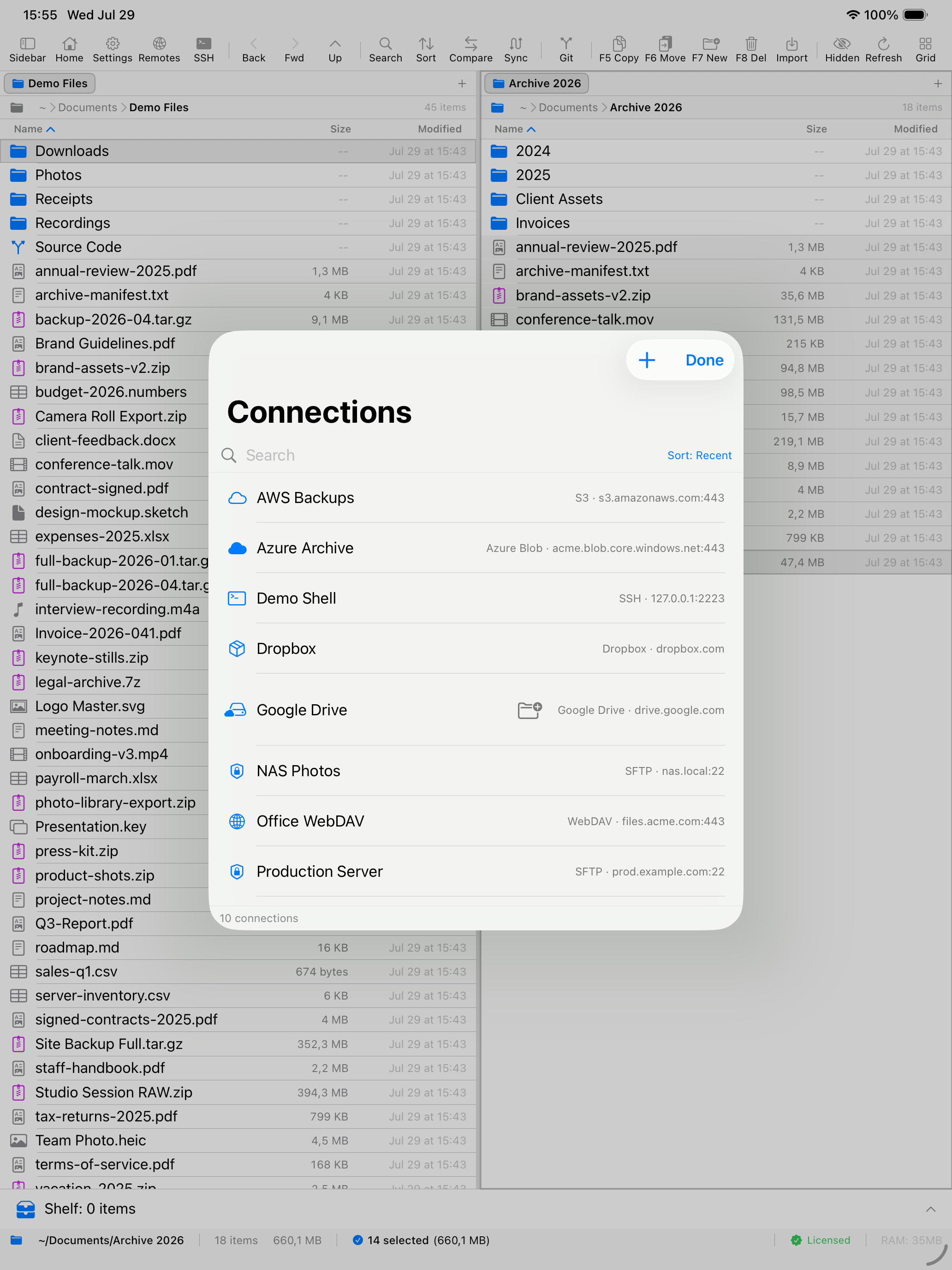
The Mac app is the full instrument. The iPad app is a genuine dual-pane file manager, not a viewer with a file list. The iPhone app is single-pane with a tab bar, because two panes on a phone is a lie people tell in screenshots. One licence covers one Mac, one iPad and one iPhone. Sign in and it activates; there is no key to type.
What EmpiricCommander costs from 2.0
$49.99, one time. Not a subscription, and not per platform. There is a 7-day free trial with every feature unlocked before you decide anything, and no card is required to start it.
That is a rise from $29.99, and the honest way to put it is that the old price was set for an app that did considerably less. For context on the Mac alone: a dedicated transfer app runs about $45 and a dedicated dual-pane manager about $40 - roughly $85 for two programs that between them do part of this, on one platform. The iPad and the iPhone are extra again, from other developers.
If you already own EmpiricCommander, 2.0 is free
Everyone holding a licence when 2.0 ships gets 2.0 at no cost. Nothing to claim, no code to enter, no email to send - sign in as usual and it is there. You bought this early; that is the thank-you.
Going forward the rule is published and applies to everyone: any purchase made in the 90 days before a new major version includes that major version, free.
And if you are in the middle of a trial, or trialled EmpiricCommander recently and never got round to deciding, get in touch - we will sort you out at the old price. You do not need to prove anything.
What is not in 2.0
A list like the one above invites the assumption that everything works everywhere. It does not, and you should know which parts before you pay rather than after:
- 7z and RAR can be stepped into on the Mac only - the extraction toolchain uses subprocesses that iOS does not allow. ZIP works everywhere, including creating them.
- Password-protected ZIP is macOS only, and it is classic ZipCrypto. An AES-encrypted archive will not open.
- The permissions editor is macOS only, on purpose: the iOS sandbox cannot resolve an owner, so the POSIX bits are not actionable there.
- Folder Compare's SHA-256 verification reads bytes off local disks, so it applies to a local pair of folders. It is not a proof that a remote copy arrived byte for byte.
- There is no Git on the iPhone. The iPhone app is single-pane, and the Git surface lives in the dual-pane layout, so cloning and committing are a Mac and iPad thing. The shell runs everywhere; Git does not.
- Locking your phone will not lose a transfer. Force-quitting the app still will. The screen is kept awake while a transfer runs, and if you lock the device anyway there is a 30-second grace window before it pauses and resumes on unlock. But kill the app outright and the transfer goes with it. Making transfers survive that is real engineering per storage backend, and it is not done.
- Remote archive extraction has two rough edges. A password-protected archive on a remote server will not prompt you for the password, and cancelling mid-way can leave a partial tree behind that you have to clean up.
- iPad Git is HTTPS-with-token, as above. If you need SSH remotes or a history graph on the tablet itself, Working Copy is ahead of us and we say so on its comparison page.
Since this was written, five of those gaps closed. Git runs on the iPhone as of 2.1. A cancelled or failed remote extraction rolls its folder back instead of leaving a partial tree (2.3), and on the Mac an encrypted archive on a server now prompts for its password (2.4). And since 2.4, cloud transfers - S3, WebDAV and Dropbox uploads, Google Drive downloads - are carried by the system, so closing or force-quitting the app no longer ends them. And as of 2.9.0 on iOS and iPadOS 26, SFTP, FTP and SMB transfers keep going when you background the app or lock the phone - the last item on that list, closed.
1.x keeps working
Exactly as it does today. No nag screen, no countdown, no feature that quietly stops. A major version number here means a new purchase for new customers, not an expiry date for existing ones.
Requirements
macOS 15 or later, or iPadOS and iOS 17 or later. The on-device AI features additionally need Apple Intelligence on supported hardware; on anything older they are simply absent, and everything else works without them.
Try it for 7 days
Every feature, no card, no sign-up. Point it at a server you actually use - that is the only test that tells you anything.
Related: Pricing and licensing · Git on the iPad · Full changelog