Git client for iPad & iPhone
Git on Your iPad, No Mac Required
You edited a config on the SFTP server, fixed a typo in a README, tweaked a script - and now you want to commit and push it, from the iPad you already have open. EmpiricCommander brings a real Git workflow to iPad: clone an HTTPS repository from GitHub or another host, edit files in a built-in editor with syntax highlighting, then stage, commit, and push - without a Mac in the loop. And because it lives inside a full dual-pane file manager, your repo sits in one pane while SFTP, S3, or cloud storage sits in the other. One $49.99 license covers the Mac, iPad, and iPhone apps.
$49.99 one-time · no subscription · macOS, iPad & iPhone
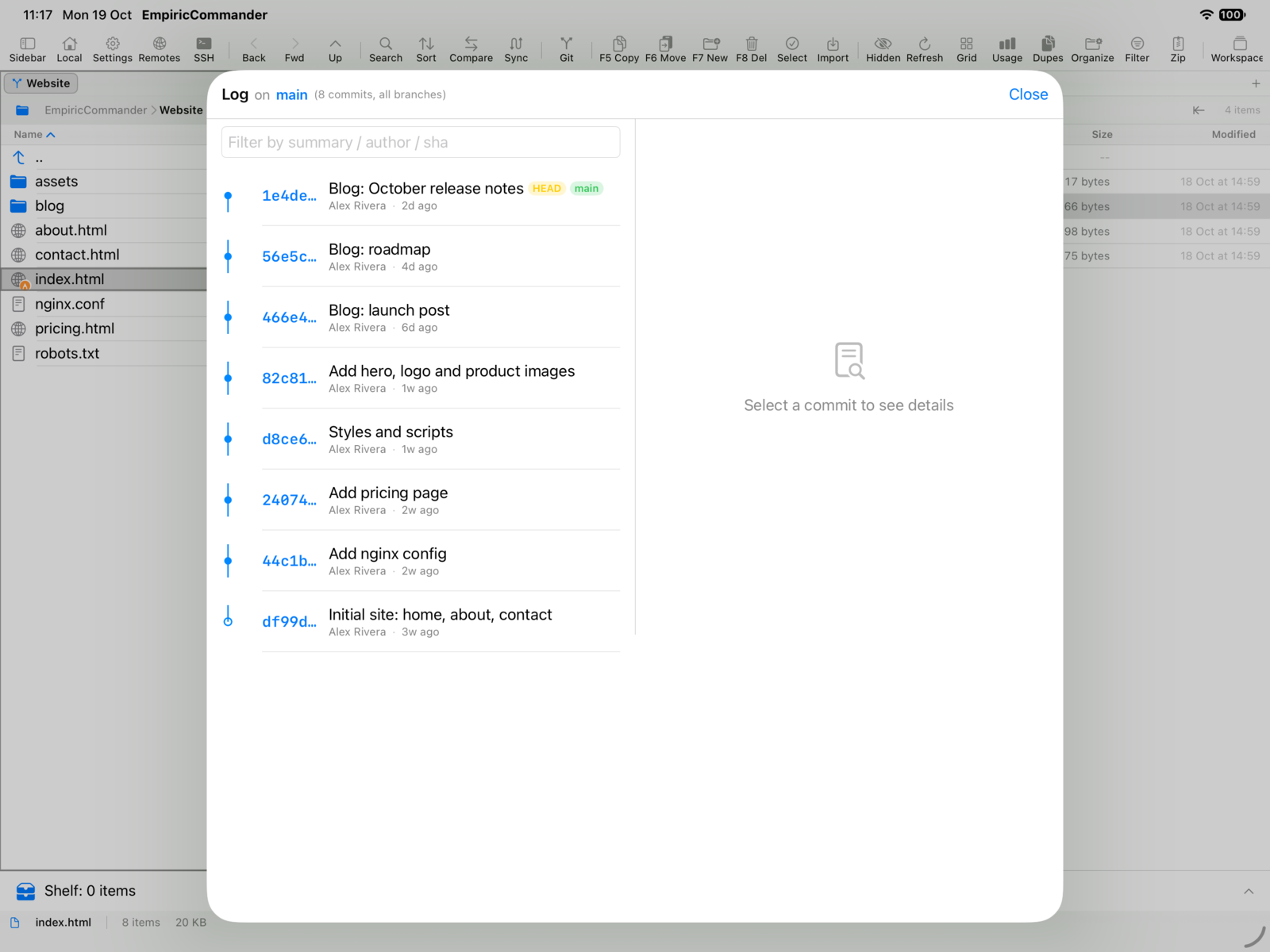
The clone-edit-commit-push loop, on iPad
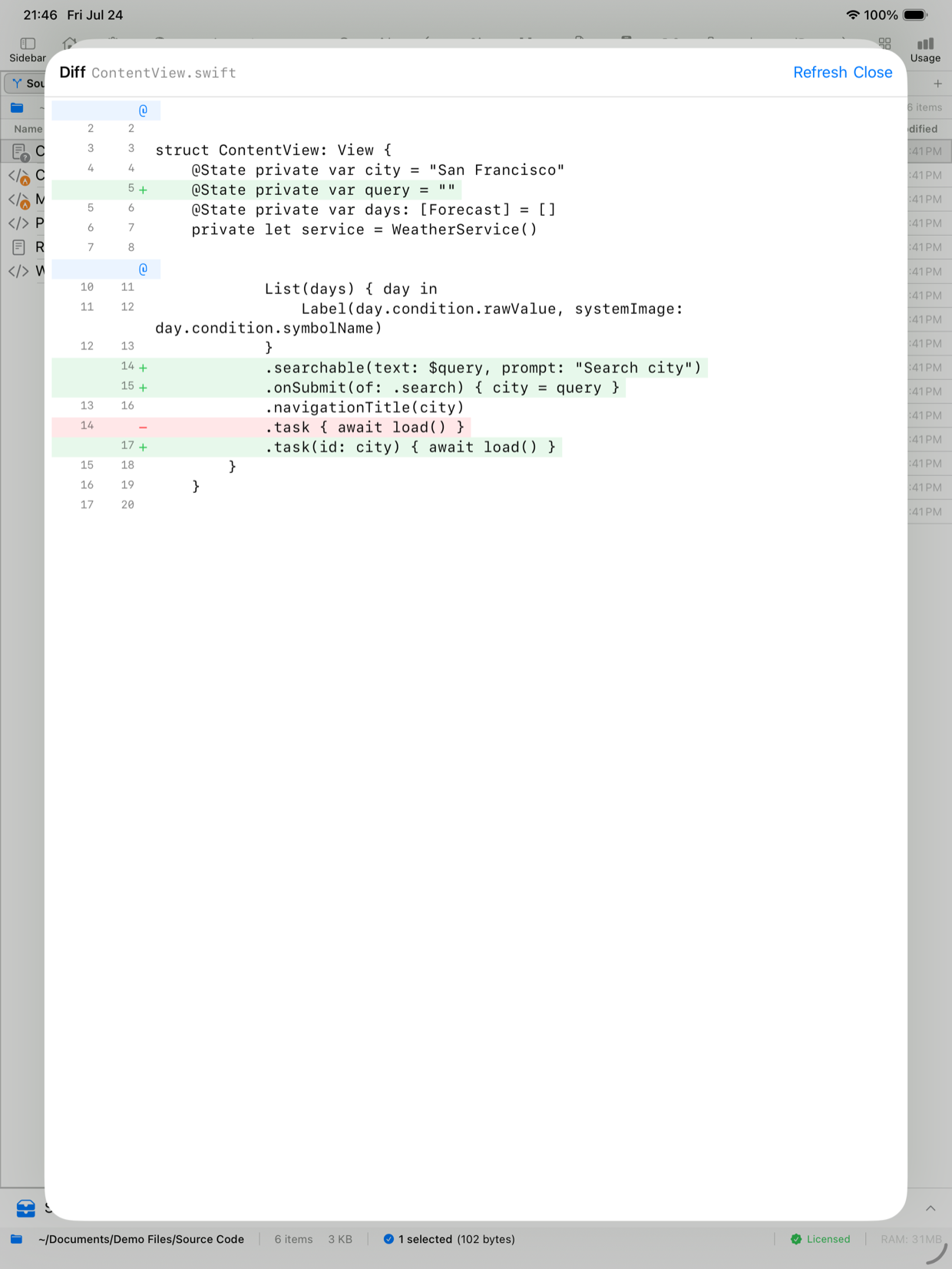
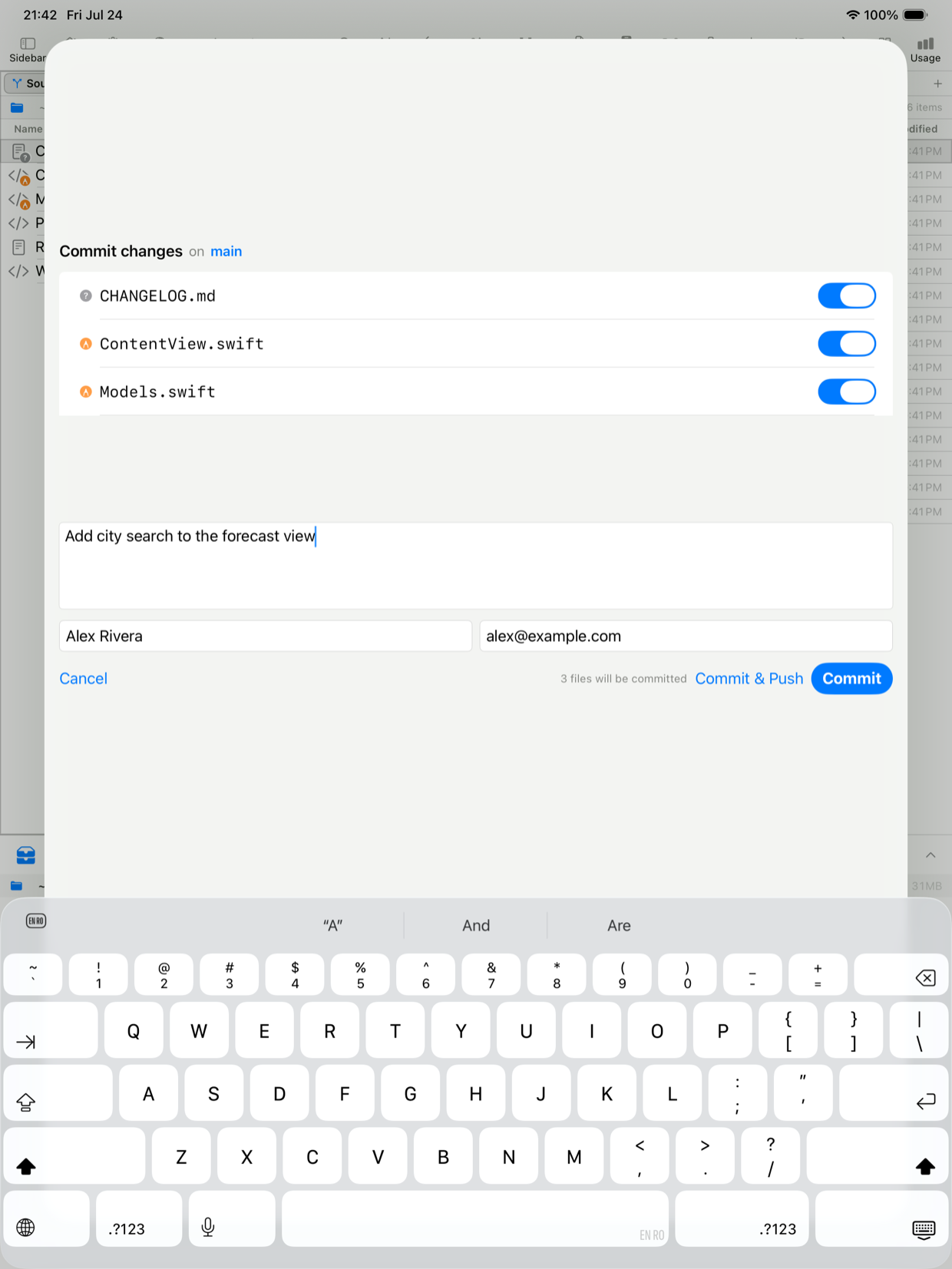
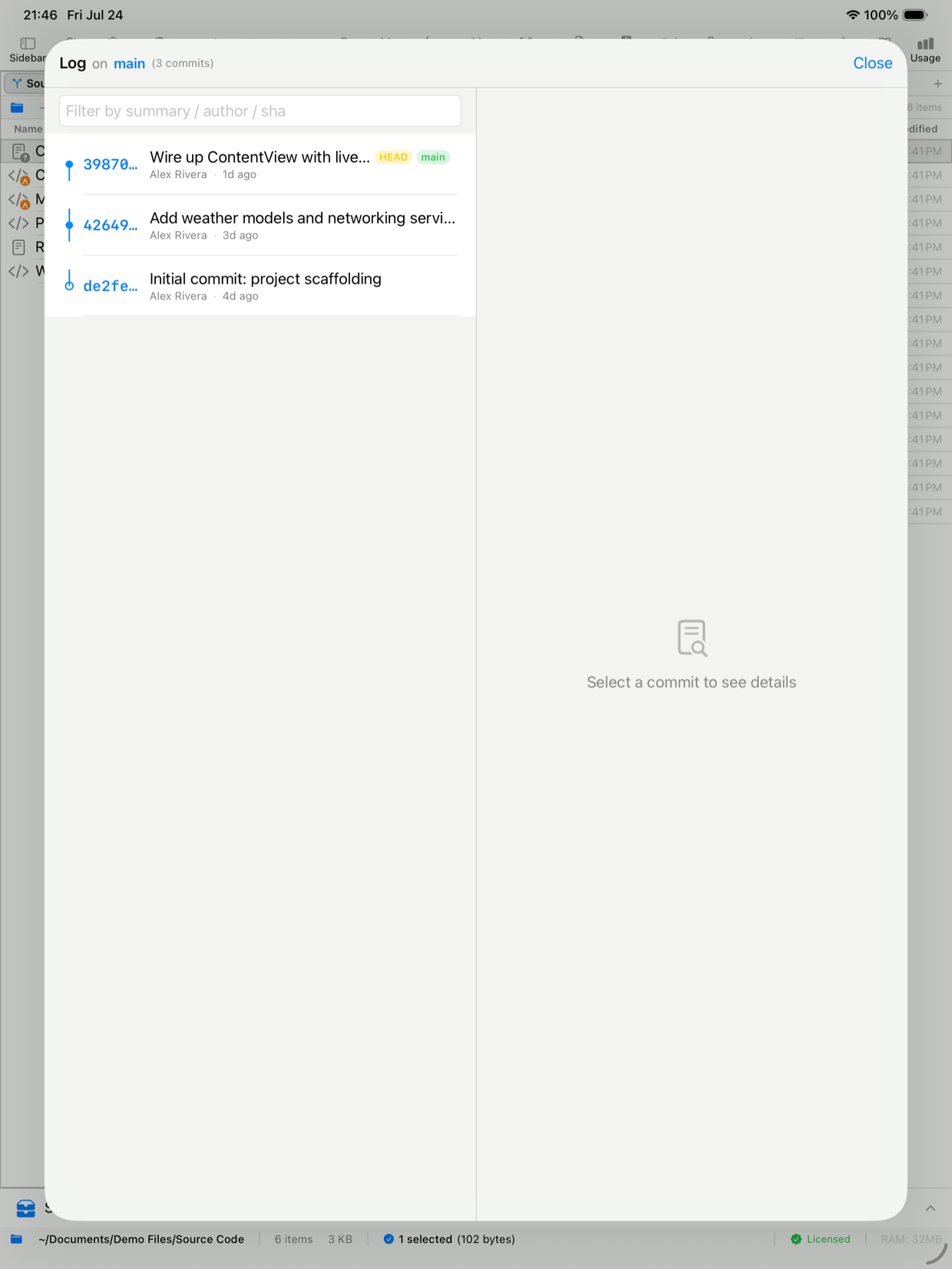
No Mac, no shortcuts, no export dance
PAT stored in the Keychain
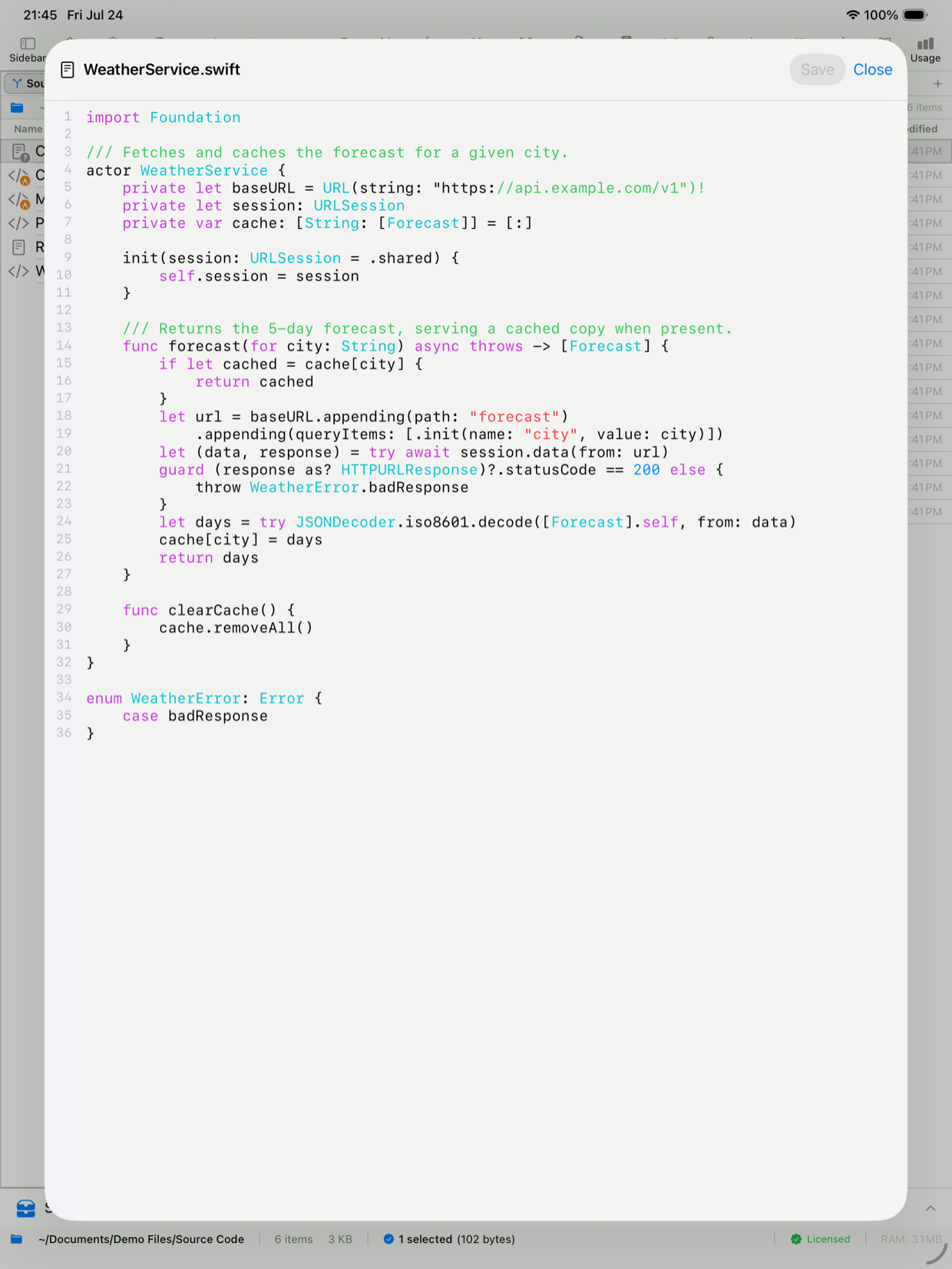
Edit, then commit in the same app
A Git workflow that fits the iPad
Clone in-app
Paste an HTTPS repository URL, pick a destination folder, and the repo lands ready to work with. No terminal, no companion Mac - just the clone you asked for, on the tablet.
Built-in text editor
Open a file and edit it in a fast, native editor with syntax highlighting and line numbers. Oversized and binary files are handled safely, and unsaved changes are protected against accidental loss.
Branch & commit at a glance
The current branch and commit state appear right on the tab, so you always know where you are before you make a change or push.
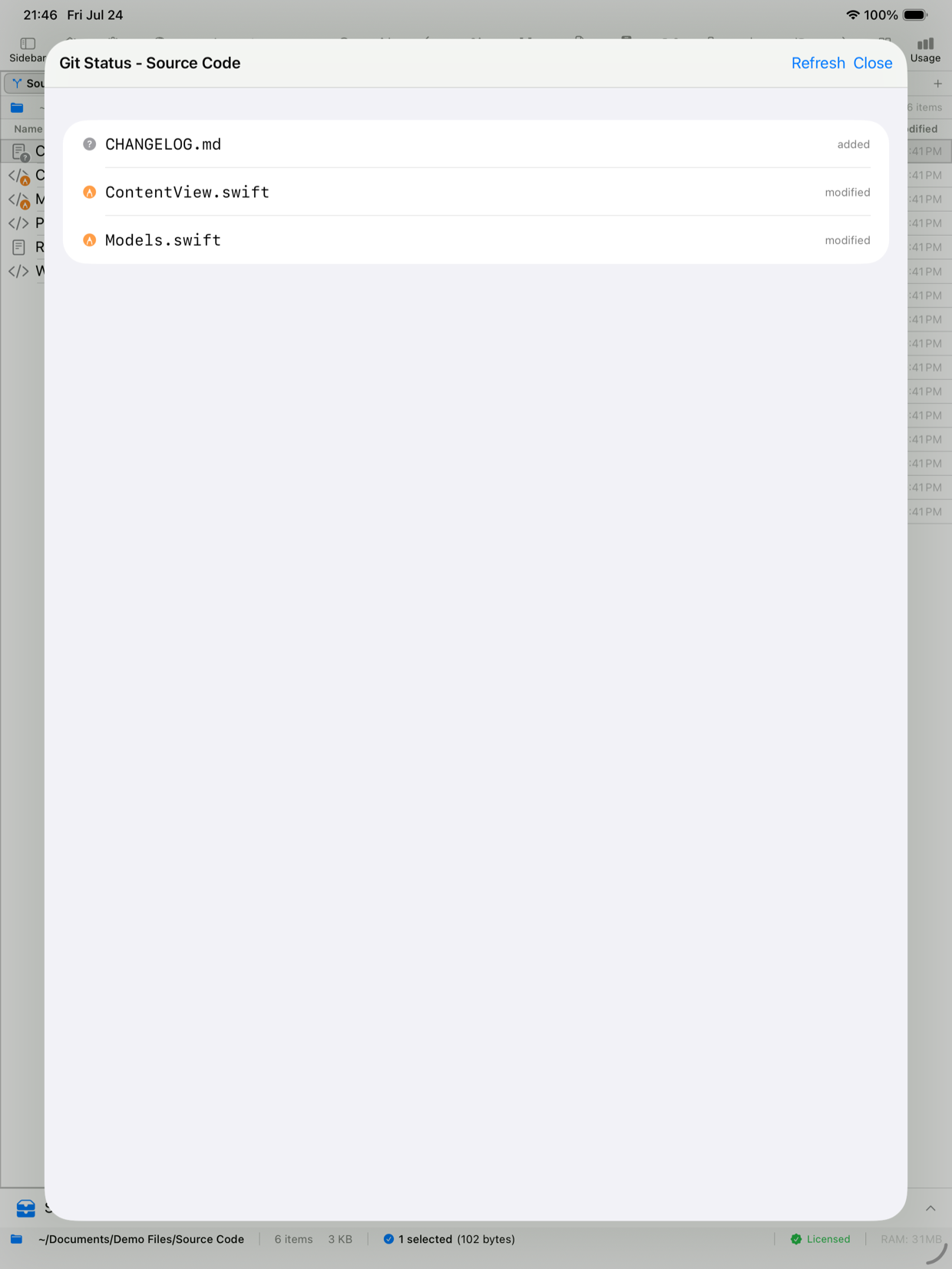
Stage, Commit, Push - one tap
Ship a change without leaving the file list. Stage your edits, write a message, commit, and push to the remote - the whole loop in a couple of taps.
Repo in one pane, anything in the other
This is Git inside a file manager, not a standalone Git app. Keep the repository in one pane and an SFTP server, S3 bucket, or cloud folder in the other, and move files between them.
Token kept in the Keychain
Authenticate with a personal access token from GitHub or your host; it is stored in the system Keychain, never in a plaintext config file, and never leaves your device except to talk to your Git host.
Why Git on iPad usually isn't Git
On iPad, most "Git" ends up being a browser tab on github.com, a Shortcut that calls an API, or copy-pasting a diff into a web editor. None of that is the real clone-edit-commit-push loop you have on a desktop, and none of it touches the files you actually keep on the device.
EmpiricCommander does the real loop. You clone an HTTPS repository into local storage, edit files in the built-in editor, stage and commit your changes, and push back to the remote - the same four steps you'd run on a Mac, done natively on the tablet.
- Clone any HTTPS repository (GitHub, GitLab, Gitea, self-hosted)
- Edit in a native editor with syntax highlighting and line numbers
- Stage, commit with a message, and push to the remote
- Branch and commit indicators shown on the tab
Git that lives in a file manager
The difference from a dedicated iPad Git app is the pane next to your repo. EmpiricCommander is a dual-pane file manager first, so the repository you cloned sits beside an SFTP server, an S3 bucket, a WebDAV share, Google Drive, or another local folder - and you drag files between them.
That is the workflow for people who don't only write code: pull an asset off a server into the repo, commit it, push it; or copy a built artifact out of the repo straight to cloud storage. The Git panel and the transfer panel are the same window.
- Dual-pane drag-and-drop between the repo and any connection
- SFTP, FTP/FTPS, WebDAV, S3-compatible, Google Drive, Dropbox, SMB in the other pane
- Batch rename, archive browsing, and Quick Look on repo files
- The same saved connections work on the Mac and iPhone apps too
What the iPad version does and doesn't do
Being honest about scope: the Git menu on iPad is the same one the Mac gets - status, stage, commit, discard, stash and stashes, the Log with its branch and merge topology graph, switch and create branch, merge, pull, push, fetch. Since 2.1 the iPad also clones, fetches and pushes over SSH with the host key verified and pinned, stages, unstages, discards and diffs a single file from its row menu, and resolves a merge conflict in the app - pick a side per file, or abort. What it does not do is resolve a conflict hunk by hunk: the choice is per file, not per change.
iPad Git authenticates over HTTPS with a personal access token, or over SSH since 2.1 with the host key confirmed once and pinned. Conflict resolution is per file - either side, or abort - never per hunk. The built-in editor and the Git workflow both run on Mac, iPad and iPhone as of 2.1; what stays Mac and iPad only is the dual-pane layout itself, and the local shell is macOS only. Commit author identity uses your configured name and email.
Frequently Asked Questions
Can I really clone a Git repo on an iPad?
Yes. EmpiricCommander clones an HTTPS repository directly on iPad - paste the URL, choose a destination, and the repo is ready. You then edit files in the built-in editor and stage, commit, and push, all in the app. No Mac and no companion service are involved.
Does it work with GitHub?
Yes, including private repositories - cloning one with a personal access token is confirmed on iPad, iPhone and Mac. Connect to GitHub (and other hosts like GitLab, Gitea, or a self-hosted server) with a token stored in the system Keychain, or over SSH. One thing worth knowing before you start: a GitHub token is around 90 characters, so have it somewhere you can paste from rather than typing it on a phone.
Can I edit code, not just manage the repo?
Yes. There is a built-in text editor with syntax highlighting and line numbers. Open a file from the cloned repo, make your change, save it, then commit and push - the edit and the commit happen in the same app.
Does it support SSH keys?
Yes, since 2.1, on the iPad as well as the Mac and iPhone. Clone, fetch and push over SSH using the key from the matching saved connection, including passphrase-protected keys held in the Keychain. The host key is shown once and pinned after you accept it, and there is a screen to review or forget trusted hosts. scp-style addresses (git@host:owner/repo) work, not just ssh:// URLs. HTTPS with a personal access token still works if you prefer it.
How is this different from a dedicated iPad Git app?
EmpiricCommander is a full dual-pane file manager that happens to include Git, so your repository sits next to SFTP servers, S3 buckets, and cloud storage and you move files between them. A standalone Git client can be deeper on pure Git features; EmpiricCommander wins when you also want real file management and remote connections in one app - and one $49.99 price across Mac, iPad, and iPhone.
Is it a subscription?
No. A single $49.99 one-time purchase (per major version) covers 1 Mac, 1 iPad, and 1 iPhone, with a 7-day free trial that needs no credit card.