Blog · October 3, 2026
EmpiricCommander on iPhone Duo: two panes when it opens, one when it closes.
A dual-pane file manager has always wanted a bigger screen than a phone. On an iPhone, EmpiricCommander has made do with one pane at a time and a tab bar. The iPhone Duo opens into a 7.6-inch display, and that is enough room for the layout the app was built around.
So EmpiricCommander decides by the space it is given, not by what kind of device it is on. Unfold the phone and you get two panes. Fold it and you are back on the phone layout.
Unfolded: the iPad layout, on a phone
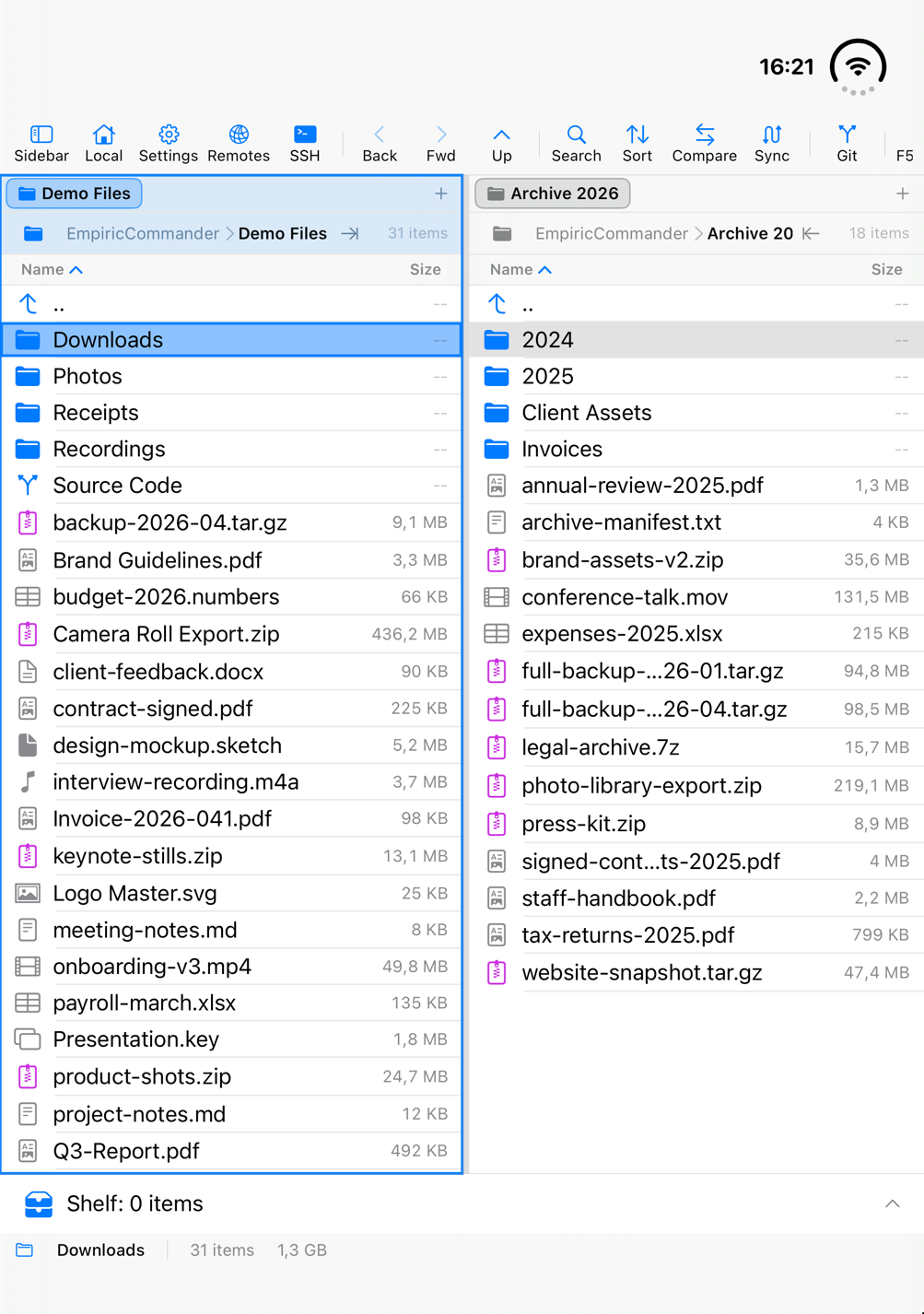
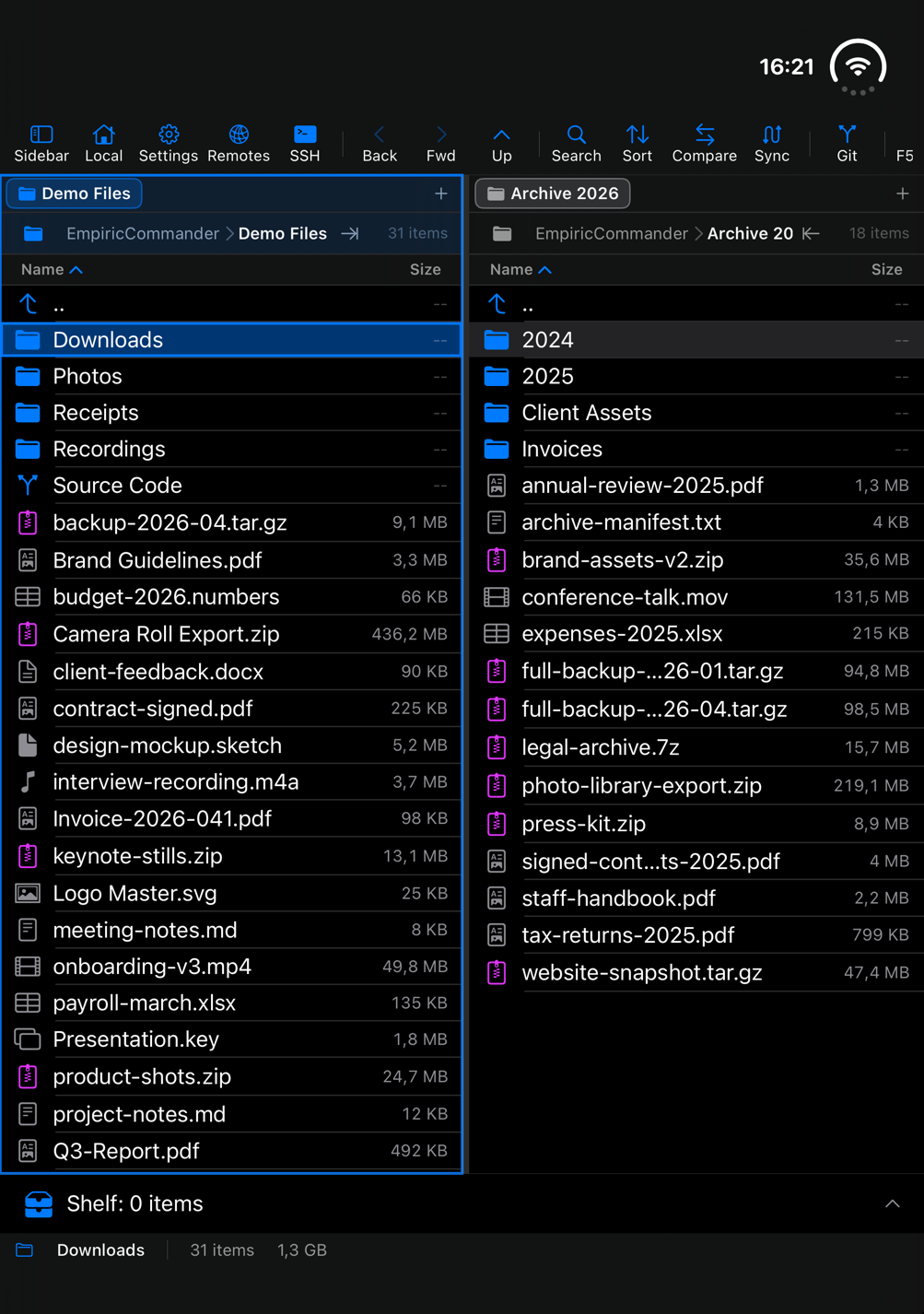
On the inner display, EmpiricCommander runs the same two-pane window as on an iPad: two folder views side by side, a command toolbar, the Shelf bar and a status bar, with the sidebar one tap away. Drag a file from one pane to the other to copy it, whether the panes show the phone itself, an SFTP server, an SMB share on your NAS or an S3 bucket.
It stays two panes whichever way you hold it. In portrait each pane is narrower, in landscape each has more room for the file name and its details. Settings and your connections are in the toolbar.
Folded: one pane at a time
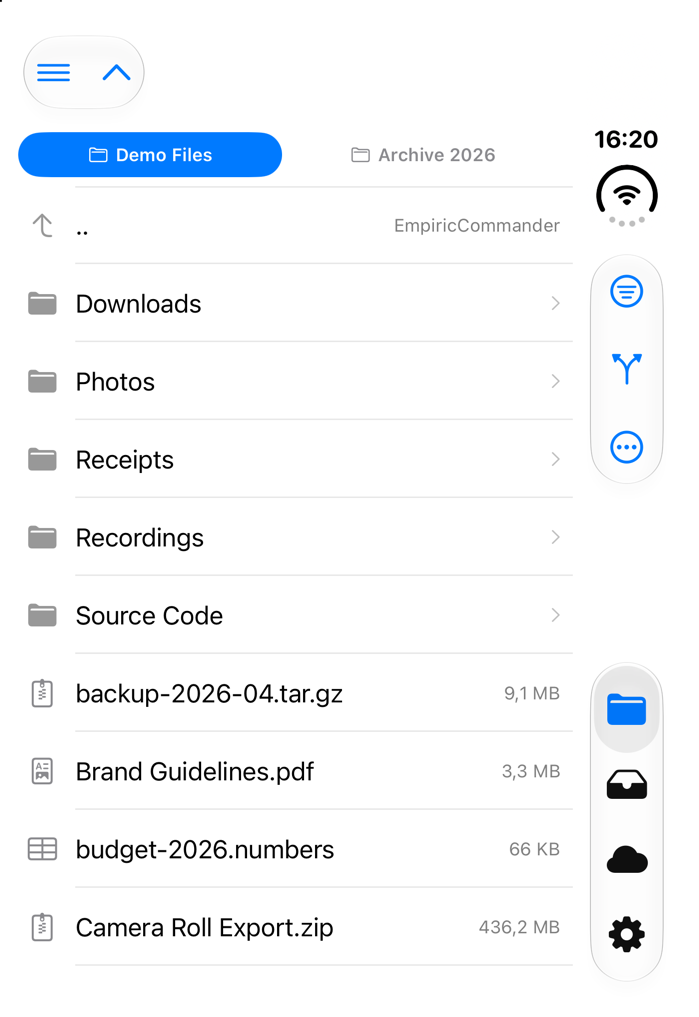
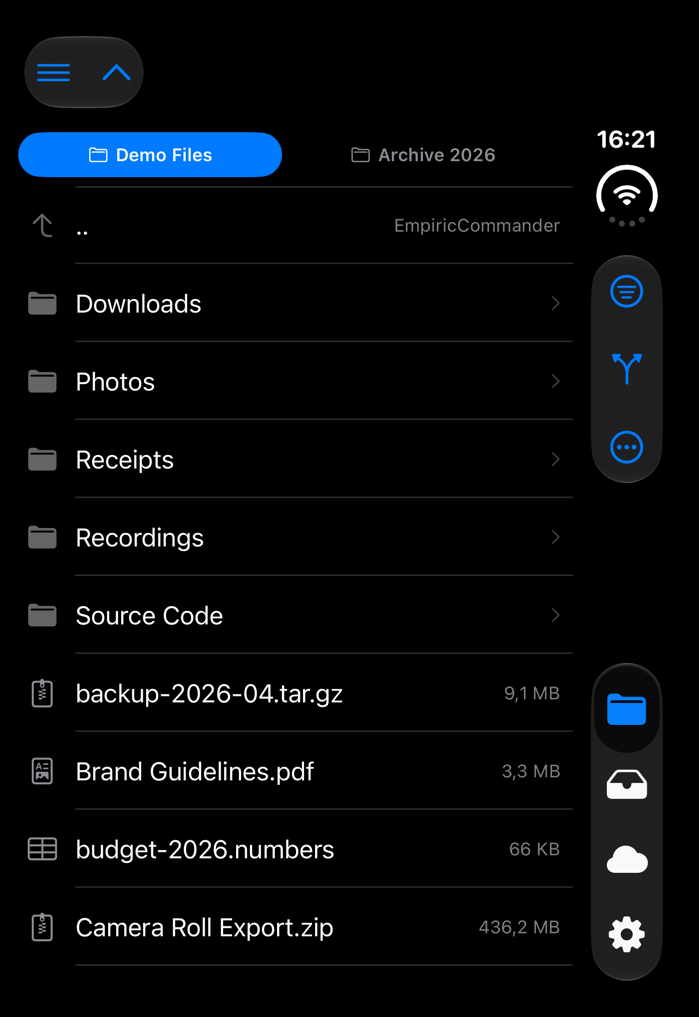
On the cover display you get one pane at a time, with your open folders as a row of tabs along the top. Browse, Shelf, Cloud and Settings sit in a rail along the right edge, under the pane's own actions: filter, Git and the ⋯ menu. Compare, Folder Sync and Checksum still reach a second folder, as they do on any iPhone.
What survives the fold
Switching layouts halfway through something is the part that is easy to get wrong, so this is what EmpiricCommander keeps when you fold or unfold:
- Both panes stay where you were - the same folders on the phone, and a server folder when you fold.
- An open preview - Quick Look, an image, a rich preview - stays open.
- A running transfer keeps going. Folded, it shrinks to a bar with its progress and a Cancel button, and it completes.
And, honestly, what it does not keep. A selection does not carry across. An open sheet - Connections, Shelf, Settings - closes. With several SSH sessions open on the unfolded screen, folding keeps only the one you were typing in.
How we checked, and what we have not
EmpiricCommander is built with Xcode 27.1, as Apple asks for iPhone Duo. What is described here is verified in Apple's iPhone Duo simulator (iOS 27.1), folding and unfolding with work in progress: the layouts and the folder locations on 2.19.2, an open preview and a running transfer on 2.16.2. We have not tested it on a real iPhone Duo yet, and if the real phone disagrees with the simulator, this page will say so.
Known rough edges on the unfolded screen: in portrait the command toolbar runs out of room after F5, so its last buttons are cut off. In landscape the Settings sheet opens as a narrow phone-style sheet pinned to the bottom edge, and the terminal's key bar runs into the sensor area along the right edge.
Licence: a Duo is your iPhone
EmpiricCommander is $49.99, paid once, and covers one Mac, one iPhone and one iPad, with a 7-day trial first. An iPhone Duo counts as the iPhone. If you move to a Duo from another iPhone, deactivate the old phone on your account page and the Duo takes its place.